This relates to a old Windows Server 2008 R2 instance.
I have installed the 32 bit 19.12 instant client as per the instructions and followed up with adding the ODBC components.
When I use the ODBC Data Source Administrator I can see the driver listed in the drivers tab "Oracle in instantclient_19_12". But when I go to the System DSN tab and attempt to adda connection as soon as I select the driver I get the error:
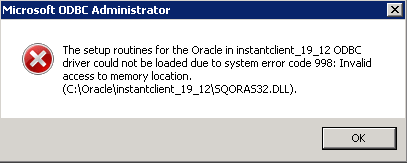
The setup routines for the Oracle in instantclient-19_12 ODBC driver could not be loaded due to system error code 998: Invalid access to memory location.
The file SQORAS32.DLL does exist in C:\Oracle\instantclient_19_12.
C:\Oracle\instantclient_19_12 has permission set to allow access for all users
C:\Oracle\instantclient_19_12 is the first entry in the PATH system variable
I've removed and re-installed.
I tried the 64 bit versions instead and got the same error
I've Googled all over the place without finding any solutions, even found a very similar question here that was closed with no answer.
Can anyone offer any steps to take please?