I am using CKEditor 5 in my oracle JET web project. I have added ck editor using npm install and is working fine. Now I need to enable image upload feature (Insert image icon in the editor). Right now when I click on the image icon in the editor and choose a file to insert, it does nothing. I see that there is a plugin (Base64 image upload adapter) available in ck editor. Please refer to the link(https://ckeditor.com/docs/ckeditor5/latest/features/image-upload/base64-upload-adapter.html ) . I installed the plugin by npm command
npm install --save @ckeditor/ckeditor5-upload
Re-ran my application, but it didn't work.
I have entries in path_mapping.json for ck editor as follows:
"ckeditor": {
        "cdn": "3rdparty",

        "cwd": "node\_modules/@ckeditor/ckeditor5-build-classic/build",

        "debug": {

            "src": \["ckeditor.js", "ckeditor.js.map"\],

            "path": "libs/ckeditor/ckeditor.js",

            "cdnPath": "ckeditor/ckeditor"

        },

        "release": {

            "src": \["ckeditor.js", "ckeditor.js.map"\],

            "path": "libs/ckeditor/ckeditor.js",

            "cdnPath": "ckeditor/ckeditor"

        }

    }
Should this entry be modified to point to @ckeditor\ckeditor5-image or another folder under @ckeditor.
Am I missing anything? Please help.
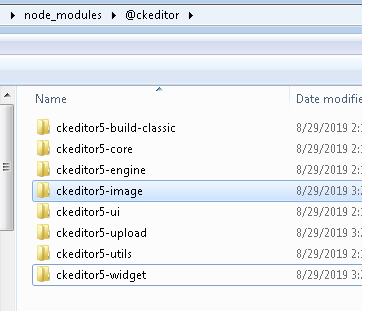
This is folder structure of ckeditor under my webapp nodemodules direectory
Thanks.