Hi guys
Currently I am trying to migrate a Client Server (Developer 6i) application to WebLogic 12c environment and came to a situation requires your valued inputs. Please refer to the below image
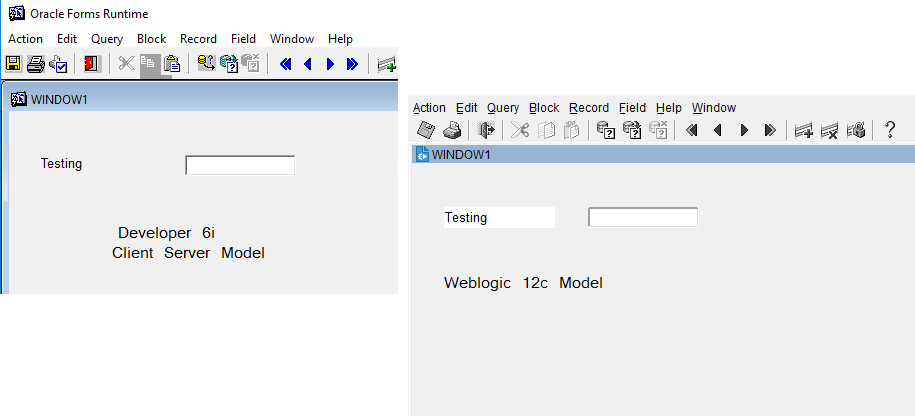
The client server application uses columns defined as display items to load labels for items those are enterable, viewable based on the language selection. Once after porting few of the forms I have noticed that the WebLogic 12c environment starts showing a white background for the display items (which should be seen like prompts for the application). I have tried the look and feel, color schemes rotated to get over it and yet to find a solution to this bit annoying situation. I know I can use the same background color for the content canvas and the display items as a workaround, however it will be a herculean task as much of the forms (200+) were not designed strictly based on referenced objects. This will require me to change each and every form's content canvas..
Please let me know how I can proceed.
Thanks and regards,
rajesh
Message was edited by: rthampi typos