Hello Community,
Using APEX 19.1 / 19.2 with Google Chrome and Oracle PL/SQL Developer 12c
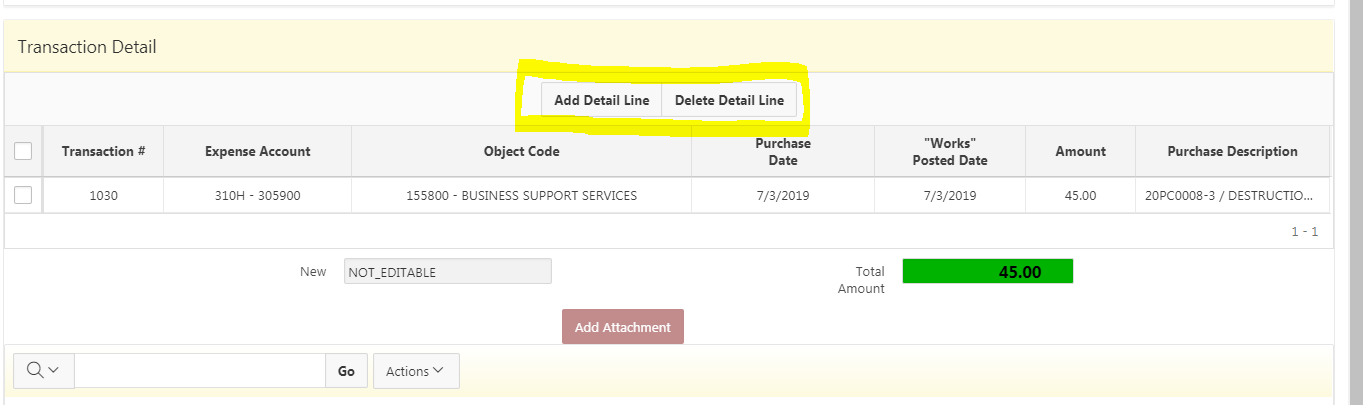
I have Customized the Toolbar to show only 2 button of an IG utilizing John Synders Hard Like Softer Series "Hacking IG"
Now I need to HIde or at least disable the 2 Buttons based on a Page Item Value derived from some PL/SQL Code
2 Buttons to be Hidden or Disabled
PL/ SQL Code to set Page Item Value for a Conditional purpose
DECLARE v_user_name varchar2(15);
     -- v\_renewal\_type  Varchar2(2);

      v\_renewal\_date  Date;
Begin
IF :P234_TRANS_HEADER_ID IS NULL
THEN
:P234_USER_NAME_EQUAL_APP_USER := 'EDITABLE';
ELSIF :P234_TRANS_HEADER_ID IS NOT NULL
THEN
  select created\_by

  into   v\_user\_name

  from   budget\_trans\_summary\_hdr bts

  where trans\_header\_id = :P234\_TRANS\_HEADER\_ID;

  If  trim(UPPER(v\_user\_name)) = trim(UPPER(:APP\_USER))

  then

    :P234\_USER\_NAME\_EQUAL\_APP\_USER  := 'EDITABLE';

  Else

    :P234\_USER\_NAME\_EQUAL\_APP\_USER  := 'NOT\_EDITABLE';

  End if;
END IF;
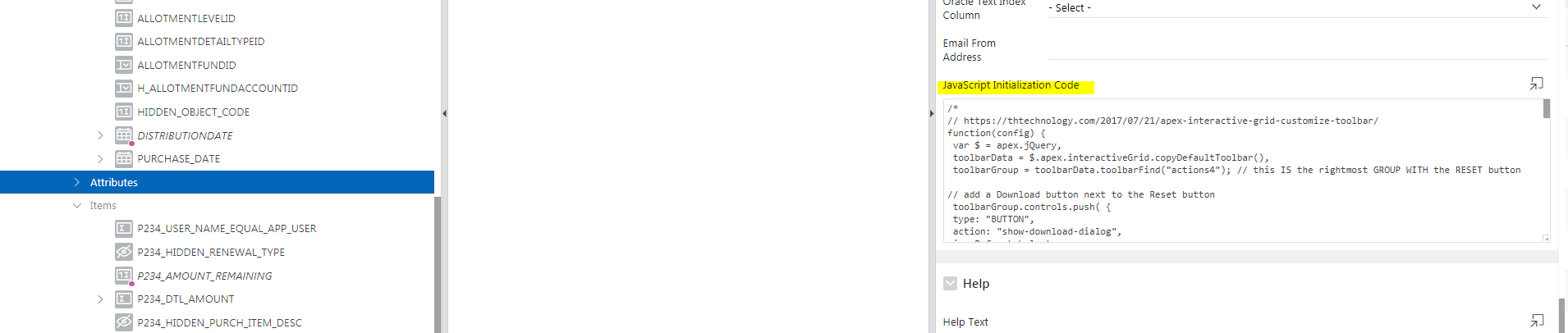
JS Code in Attributes Section of IG Region to customize toolbar
function(config) {
        config.initialSelection = false;

        config.toolbarData = \[

            {

                groupTogether: true,

                align: "center",

                controls: \[

                    {

                        type:     "BUTTON",

                        name:     "add-row",

                        action:   "selection-add-row",

                        label:    "Add Detail Line",

                        //icon:     "fa fa-plus",

                        iconBeforeLabel: true,

                        hot:       true

                    },

                         {

                            type:   "BUTTON",

                            name:   "delete-row",

                            action: "delete-row",

                            label:  "Delete Detail Line",

                           // icon:   "fa fa-minus",

                            iconBeforeLabel: true,

                            hot:     true

                    },

               \]

            },

       \];

           config.initActions = function(actions) {

           actions.add(\[{

                    name: "delete-row",

                    action: function(event, focusElement) {

                          $s('REQUEST','SAVE\_TRANS\_DTL');

                          //$s('REQUEST','FINISH');

                          //apex.item("delete-row").setStyle({"background-color":"yellow","font-weight":"bold"});

                          apex.region('transdtl').widget().interactiveGrid("getActions").invoke("selection-delete");

                          //apex.submit('FINISH');

                          var lResult = buildPurchaseDesc();

                          var lResult = addTransActionsDtl();

                          var lResult = CalculateAmtRemaining();

                          apex.submit('SAVE\_TRANS\_DTL');

                         // apex.region('transdtl').widget().interactiveGrid("getActions").invoke("save");

                         //var lResult = addTransActionsDtl();

                         // region("transdtl").widget().interactiveGrid("setSelectedRecords", \[\]);

                   }

                }\]

            );

        }

 return config;
}
--------------------------------------
So IF :P234_USER_NAME_EQUAL_APP_USER := 'EDITABLE';
Then I would like to Hide or disable the Add Detail Line and Delete Detail Line Buttons in the Customized Toolbar
Thanks in Advance
Regards,
DSteele41