Hi there,
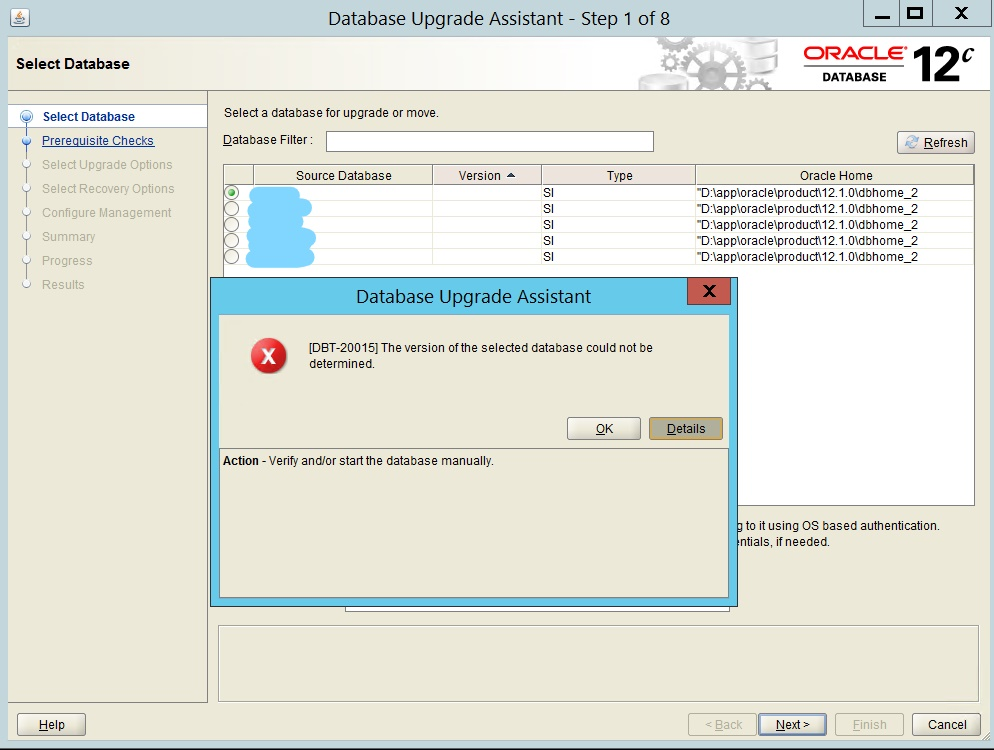
On a windows server i'm attempting to upgrade a database from version 12.1 to version 12.2. I'm running DBUA from a new Oracle Home i have installed on the server. When i launch the software from the command line it starts but will not let me proceed to step 2. The database instances' and Oracle Homes are displayed correctly from the source databases on the same server but the version column is blank. I've checked the registry settings & system variable paths and both are correct. I've also checked 'C:\Program Files\Oracle\Inventory\ContentsXML\inventory.xml' which again is displaying the source and destination homes correctly. Not sure what i'm missing here. The pic below shows the wizard at step 1 with the blank Source Versions, Source Oracle Homes and dialogue box error message when i click next.
Thanks in advance
Andre