Hi All,
I have installed 32 bit 11G express edition in my local system and my PC is 64bit one.
But first time I successfully able to connect the DB and I couldn't connect again once after I did a reboot of my PC.
Some one Please help me in resolving this.
I have tried all the possibilities out in the web and other forums. Please assist.
Below is the error I'm getting while trying to STARTUP the DB.
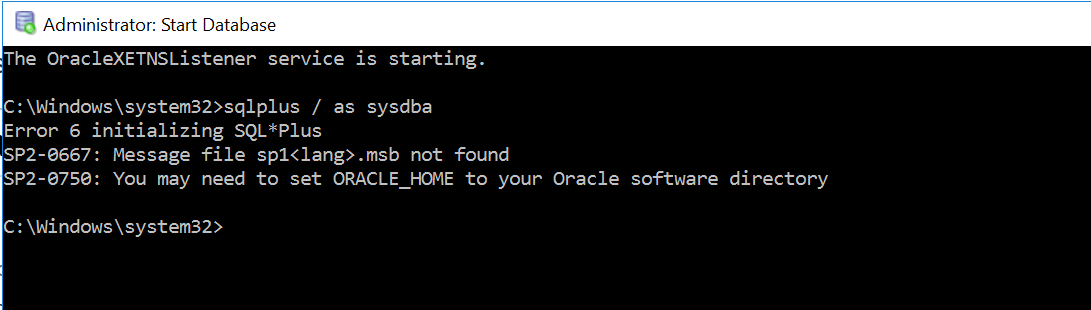
All the environment variables are set properly as shown below.

Also I tried to manually start the services as well and still couldn't able to as shown below.

All of the TNS files are properly placed in the ORACLE_HOME folder.
TNS:-
XE =
(DESCRIPTION =
(ADDRESS = (PROTOCOL = TCP)(HOST = windows-server-instance-6)(PORT = 1521))

(CONNECT\_DATA =

  (SERVER = DEDICATED)

  (SERVICE\_NAME = XE)

)
)
Listener :-
SID_LIST_LISTENER =
(SID_LIST =
(SID_DESC =
(SID_NAME = PLSExtProc)
(ORACLE_HOME = C:\oraclexe\app\oracle\product\11.2.0\server)
(PROGRAM = extproc)
)
(SID_DESC =
(SID_NAME = CLRExtProc)
(ORACLE_HOME = C:\oraclexe\app\oracle\product\11.2.0\server)
(PROGRAM = extproc)
)
)
LISTENER =
(DESCRIPTION_LIST =
(DESCRIPTION =
(ADDRESS = (PROTOCOL = IPC)(KEY = EXTPROC1))
(ADDRESS = (PROTOCOL = TCP)(HOST = windows-server-instance-6)(PORT = 1521))
)
)
DEFAULT_SERVICE_LISTENER = (XE)

Regards,
Lazar