hi all,
I have installed Oracle DB 12.2.0.1.4 on a VM Win 10 x64 bit and for some reasons, I want to uninstall it. I used its universal uninstaller, when press Remove it is showing some (incomplete) path / file to run manually. how I know what is the file name to run? and
-
why Universal Installer not run the same for me
-
if it is not feasible ( or some other reason ) why it is showing Remove option/button?
-
why Path+File name is not completely shown ( instead Oracle can give us it in a Text Box like other things during / after installation )
two screen shots for reference:
first, showing under red rectangle text that one can select and remove any thing here...
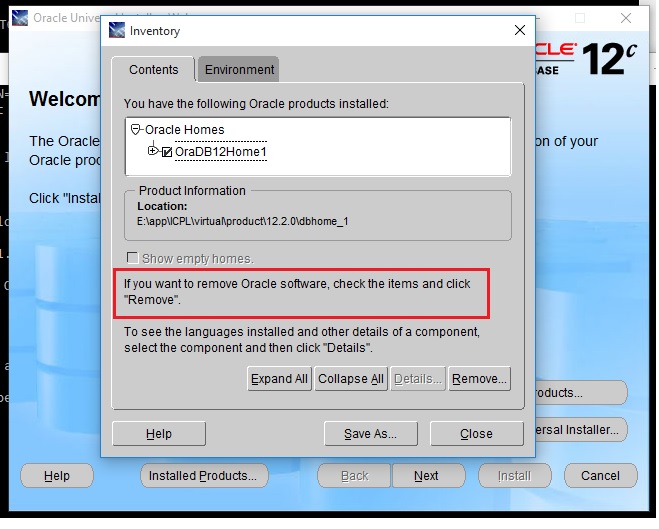
second showing incomplete Path here...

regards