by Dean Halbeisen
This article is a click-by-click walk-through illustrating how to get started with database backups using Oracle Secure Backup and Oracle's StorageTek Tape systems with Oracle Enterprise Manager Cloud Control 13_c_.
Table of Contents

Introduction
This article starts at the point where the installation and configuration of the initial system and applications have been completed. The following steps must be completed before the steps provided in this article can be used.
- The system (such as Oracle MiniCluster) must be installed and configured.
- The database must be installed and configured.
- Oracle Secure Backup must be installed and configured with disk pools and tape storage.
- Oracle Enterprise Manager 13_c_ host agents must be installed on each system.
- The Oracle Secure Backup plugin for Oracle Enterprise Manager 13_c_ must be promoted on the Oracle Secure Backup administrative server in the Oracle Secure Backup domain.
Getting Started with Database Backup and Recovery
The following sections illustrate how to configure backup settings and schedule a database backup using the Oracle Enterprise Manager Cloud Control 13_c_ GUI.
Configure Backup Settings
The following steps walk through the process to configure backup settings using the Oracle Enterprise Manager Cloud Control 13_c_ GUI.
-
Select Targets > Databases.
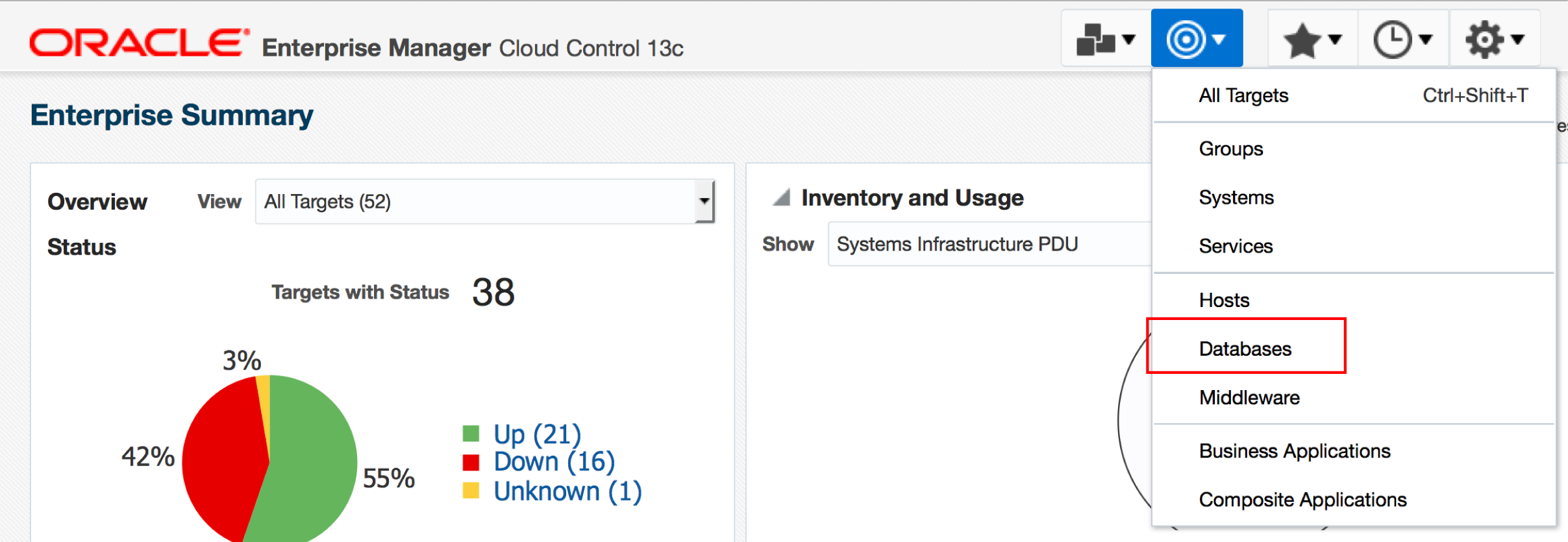
Figure 1. Navigate to the screen where you can select databases.
-
Select the database. This example selects orcl.HOL.COM.

Figure 2. Select the database.
-
Select Availability > Backup & Recovery > Backup Settings.
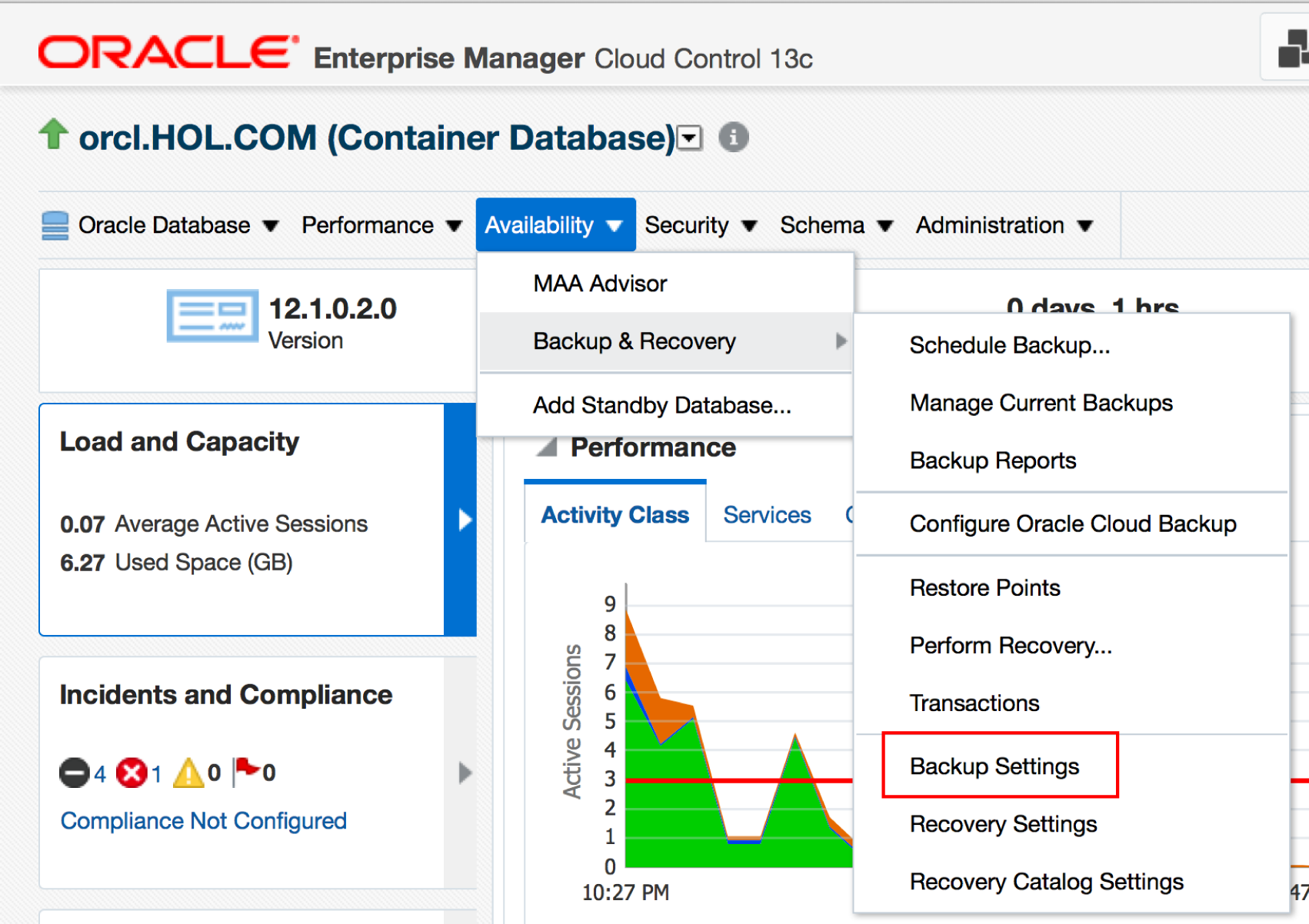
Figure 3. Select the option to edit backup settings.
-
Enter the credentials used to connect to the database, and then click Login.

Figure 4. Enter the credentials used to connect to the database.
-
In the Host Credentials pane, do the following:
a. Select New and enter the username and password.
b. Click Save As to save these credentials, and select the checkbox to set them as the preferred credentials.
c. Click Apply to continue.

Figure 5. Configure host credentials to connect to the database host.
-
Select Configure to configure Oracle Secure Backup for the database.

Figure 6. Configure Oracle Secure Backup for the database.
-
Provide Oracle Secure Backup credentials (saved from setup), and then click OK to continue.

Figure 7. Provide Oracle Secure Backup credentials.
-
Select an Oracle Secure Backup domain target, and click OK to continue.

Figure 8. Specify the Oracle Secure Backup domain target.
-
On the Backup Storage Selectors screen, click Add.

Figure 9. Add a storage selector.
-
On the Add Backup Storage Selector screen, select all database types (archive logs, auto backup, full, and incremental), and then click OK to continue.
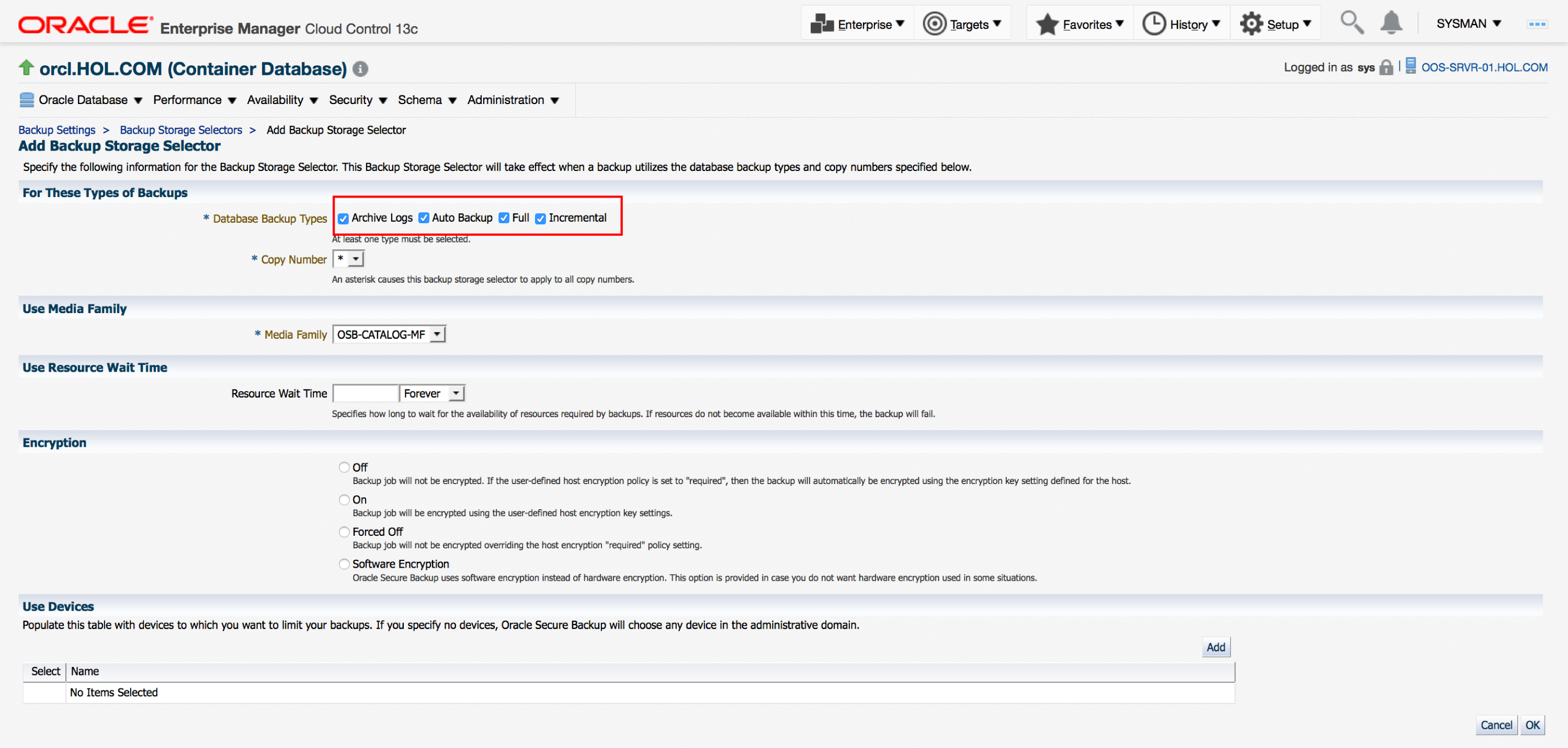
**Figure 10. Configure the storage selector.**
- Click Return to exit the Backup Storage Selectors screen.
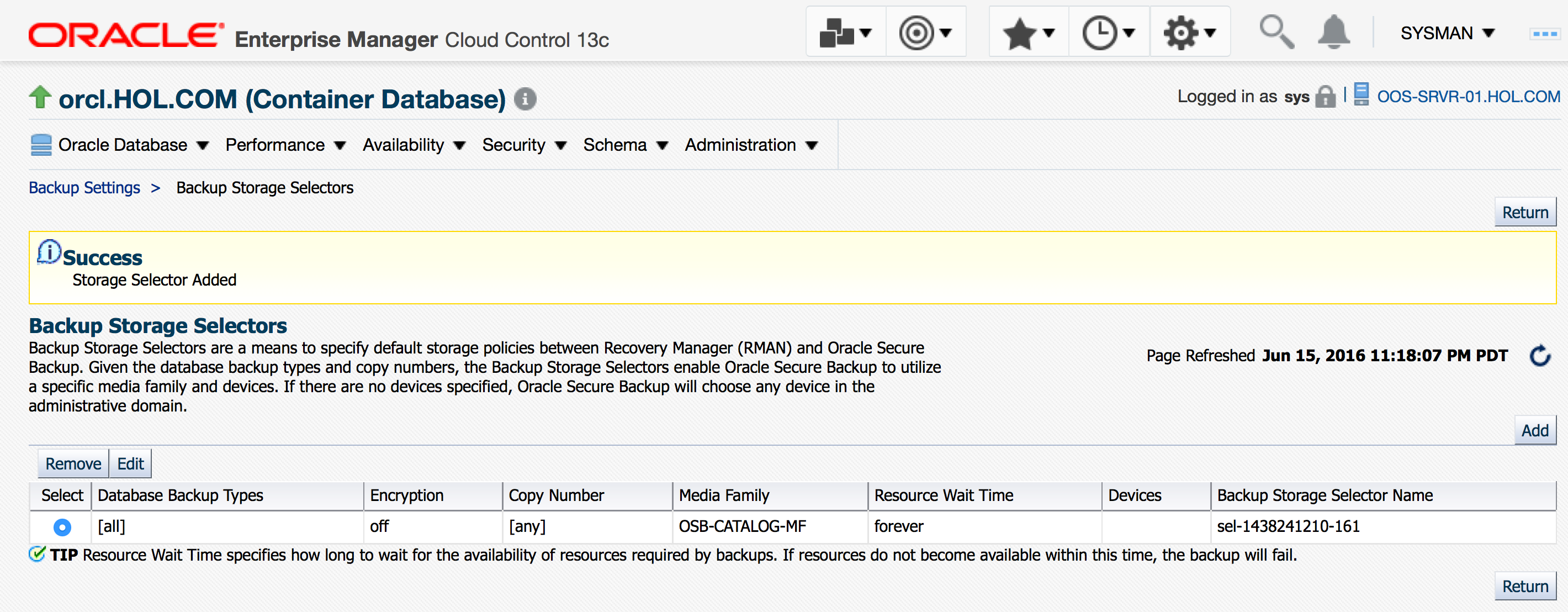
**Figure 11. Exit the Backup Storage Selectors screen.**
- Click Apply to save the backup settings.
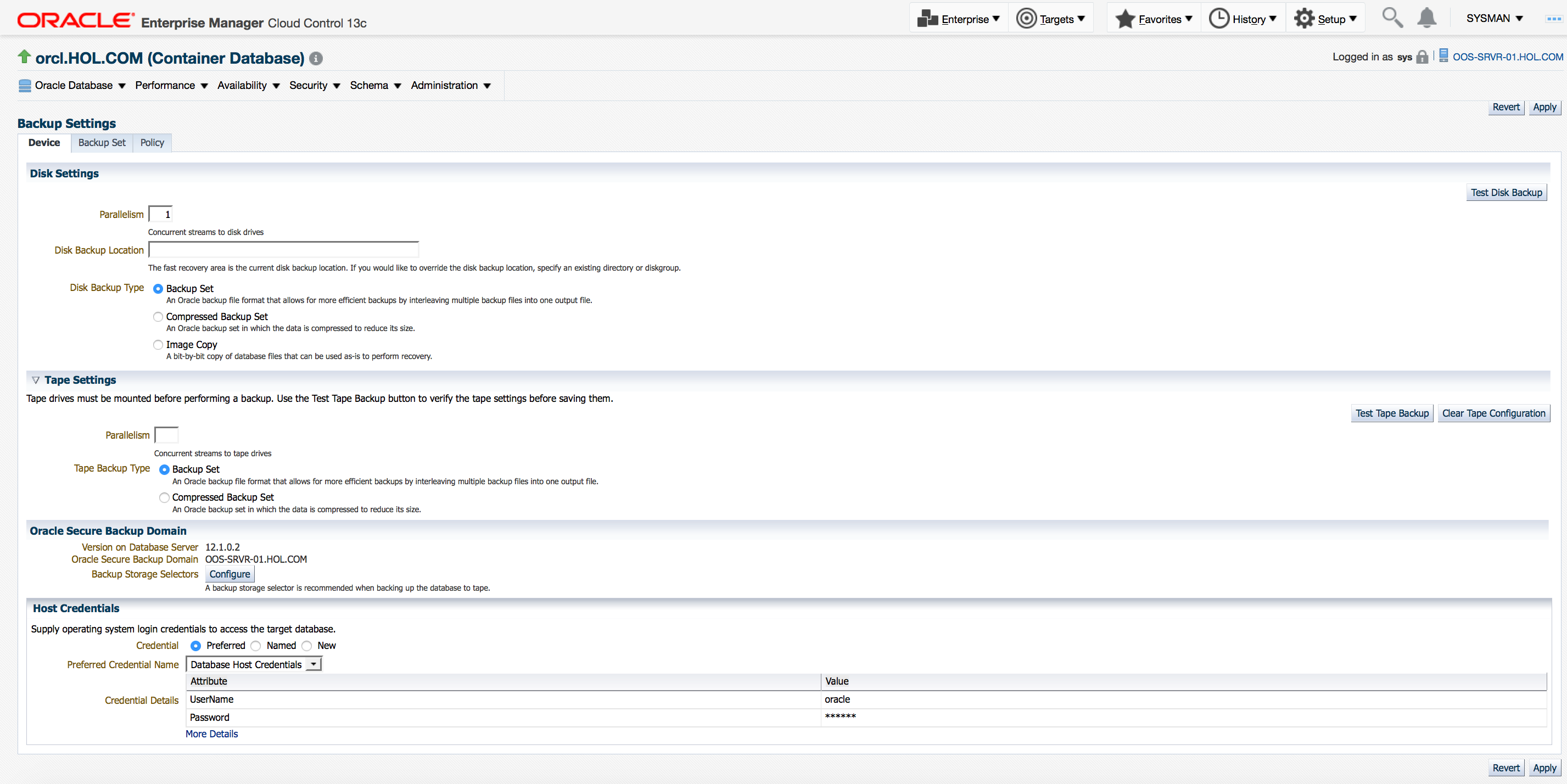
**Figure 12. Save the backup settings.**
Schedule a Backup
The following steps walk through the process to schedule a backup using the Oracle Enterprise Manager Cloud Control 13_c_ GUI.
-
Select Availability > Backup and Recovery > Schedule Backup.

Figure 13. Choose the Schedule Backup option.
-
Click Schedule Oracle-Suggested Backup.

Figure 14. Choose the option to schedule an Oracle-suggested backup.
-
Review the backup options and click Next to continue. This example uses the default options.

Figure 15. Configure backup options.
-
Select Tape and then click Next to continue.

Figure 16. Select tape as the destination media.
-
Review the backup schedule, and then click Next to continue. This example uses the default settings of an immediate, one-time backup.

Figure 17. Select the backup schedule.
-
Review the summary, and then click Submit Job.

Figure 18. Submit the backup job.
See Also
For more information, please see the following resources:
About the Author
Dean Halbeisen is a solutions manager at Oracle. He has over 20 years of IT experience and is an expert in enterprise computing solutions, most recently applying these practices to next-generation data center solutions, integrated systems, and Oracle engineered systems. In his current role, he is responsible for solution architecture and development around Oracle Optimized Solutions, including communicating about Oracle's systems, solutions, technology strategies, and roadmaps to customers, partners, and internal stakeholders.