In apex 5.1, on a modal page, I made an interactive report, formatted to look like this
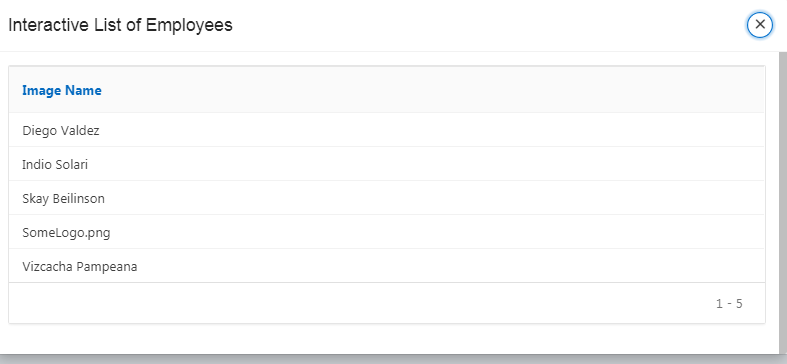
On that image, I have hidden, AS AN USER, some columns, and I cannot restore it to the original format (showing all columns).
The report query is
select ID,
   IMAGE\_NAME,

   DOC\_SIZE CONTENT
from MYIMAGES_TBL
ORDER BY IMAGE_NAME
Where the ID is a "hidden column", and CONTENT is a BLOB image.
the problem is that I want to completely reset the report to his original state at the modal page load, where the images column should be visible.
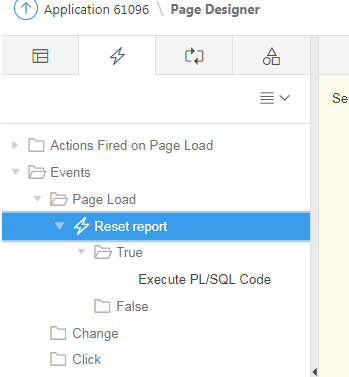
to do that, I added a dynamic action which triggers at the modal page load, and has this SQL code:
DECLARE
v_region_id APEX_APPLICATION_PAGE_REGIONS.REGION_ID%TYPE;
BEGIN
SELECT region_id INTO v_region_id
FROM APEX_APPLICATION_PAGE_REGIONS
WHERE application_id = :APP_ID
AND page_id = :APP_PAGE_ID
AND static_id = 'Interactive_List_of_Employees'; -- Static ID of your IR
APEX_IR.RESET_REPORT(
   P\_page\_id => :APP\_PAGE\_ID,

   P\_region\_id => v\_region\_id,

   p\_report\_id => Null
);
END;
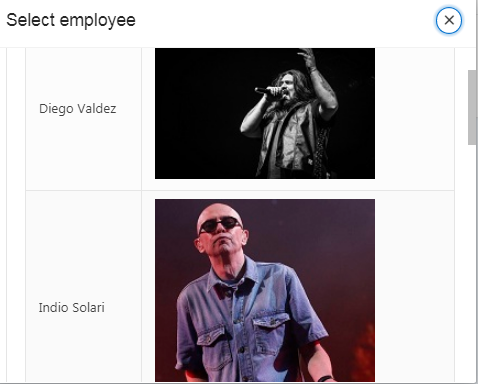
It seems to reset the "Image Name" column on the report, but fails to display the images column. It should reset to this state
How can I programatically reset the report to his original state?