Hi,
I am newbie to reporting so please be patient with me if some of the information/syntax that i provide does not make sense :-)
I am trying to create a report using Report Builder 3.0 that query a Remedy Ticketing System using Oracle Database (installed on a Unix). Below is the Dataset Query.
Select TICKET_NUMBER, SEVERITY, ASSIGNEE_NAME, ASSIGNED_GROUP, REGION, COUNTRY, SITE, NAME, TICKET_STATUS, SLA_STATUS, SLA_STATUS__RED_, SLA_STATUS__BLUE_, EXCEEDED_SLA, TO_CHAR(date '1970-01-01' + (TICKET_CREATION_DATE/60/60/24), 'DD/MON/YYYY HH:MI:SS AM')TICKET_CREATION_DATE, TOTAL_SECS_TO_RESPOND, TOTAL_SECS_TO_BREACH, TOTAL_SECS_USED, SURVEY
from ARADMIN.Request
where REGION = 'AP' and TICKET_CREATION_DATE > (TO_DATE('31/DEC/2014 11:59:59 PM','DD/MON/YYYY HH:MI:SS PM', 'NLS_DATE_LANGUAGE=AMERICAN') - DATE '1970-01-01')*60*60*24
order by ticket_creation_date
I then created a Chart that Count the Ticket Status (see screenshot below).
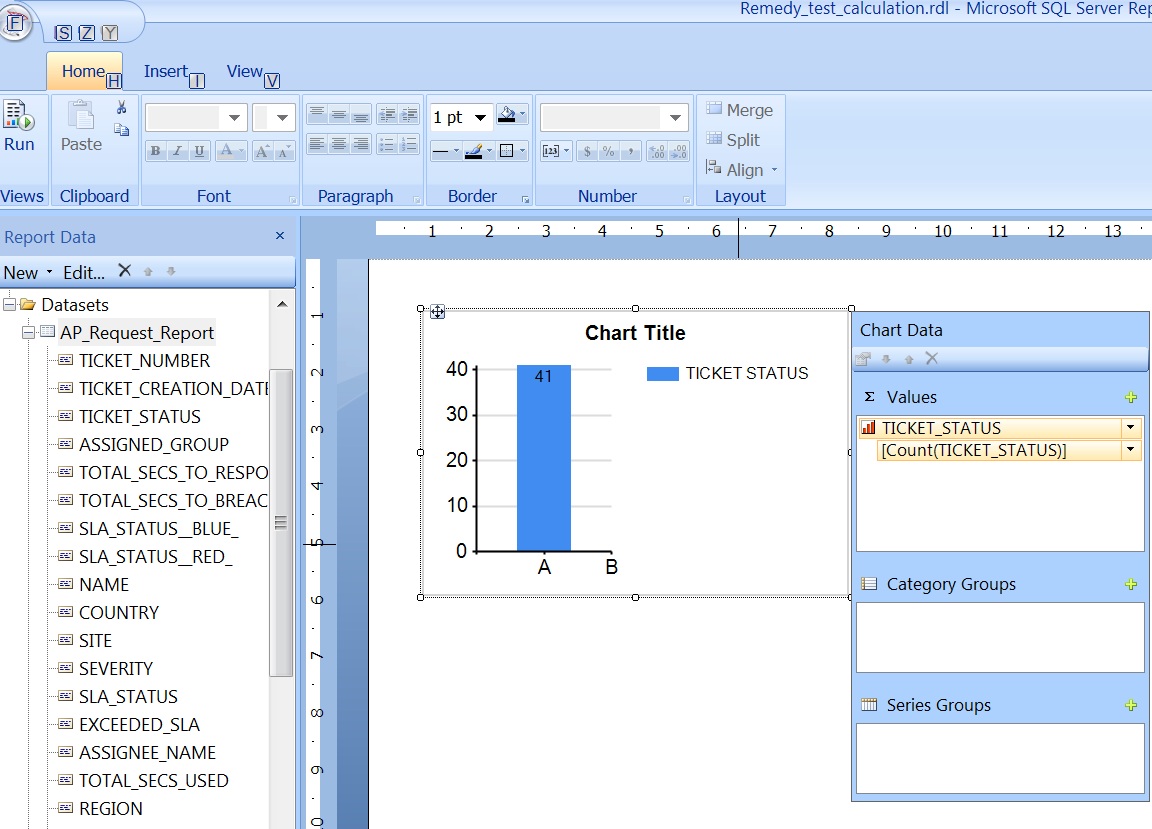
Basically Ticket_Status Data Type is Number (see screenshot below).
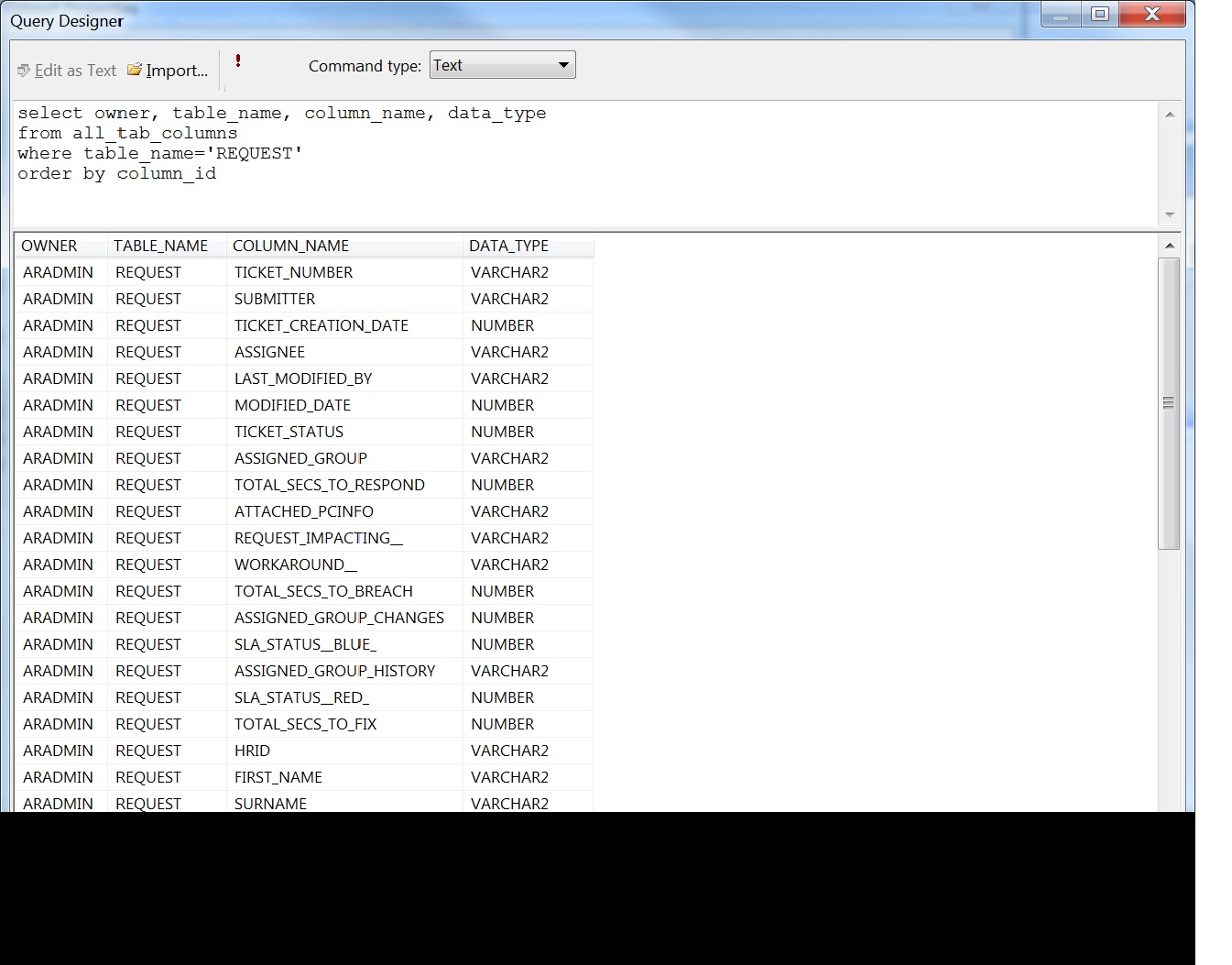
Ticket_Status
0 means Ticket Status is "Open".
1 means Ticket Status is "Work In Progress"
2 means Ticket Status is "Pending"
3 means Ticket Status is "Awaiting Closure"
4 means Ticket Status is "Closed"
Then i add a Filter on the chart (see screenshot below).

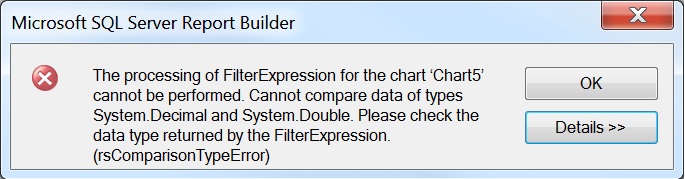
However when i preview the chart report on Report Builder i get an error "cannot compare data of types system.decimal and system.double"...
i tried using expression but my expression does not work could be because of my syntax is incorrect (as i am a newbie to reporting)....
my objective is to create a chart report that will show:
1. Percentage of Ticket Closed wthin SLA.
2. Percentage of Ticket Closed that Breached SLA.
i am hoping to use this formula:
Ticket Closed Within SLA
=Count(Fields!TICKET_STATUS.Value=4) / Count(Fields!TICKET_STATUS.Value) - Count(Fields!TICKET_STATUS.Value=2)
But when i used the expression =Count(Fields!TICKET_STATUS.Value=4) / Count(Fields!TICKET_STATUS.Value) - Count(Fields!TICKET_STATUS.Value=2) i get a differet error (see screenshot below).
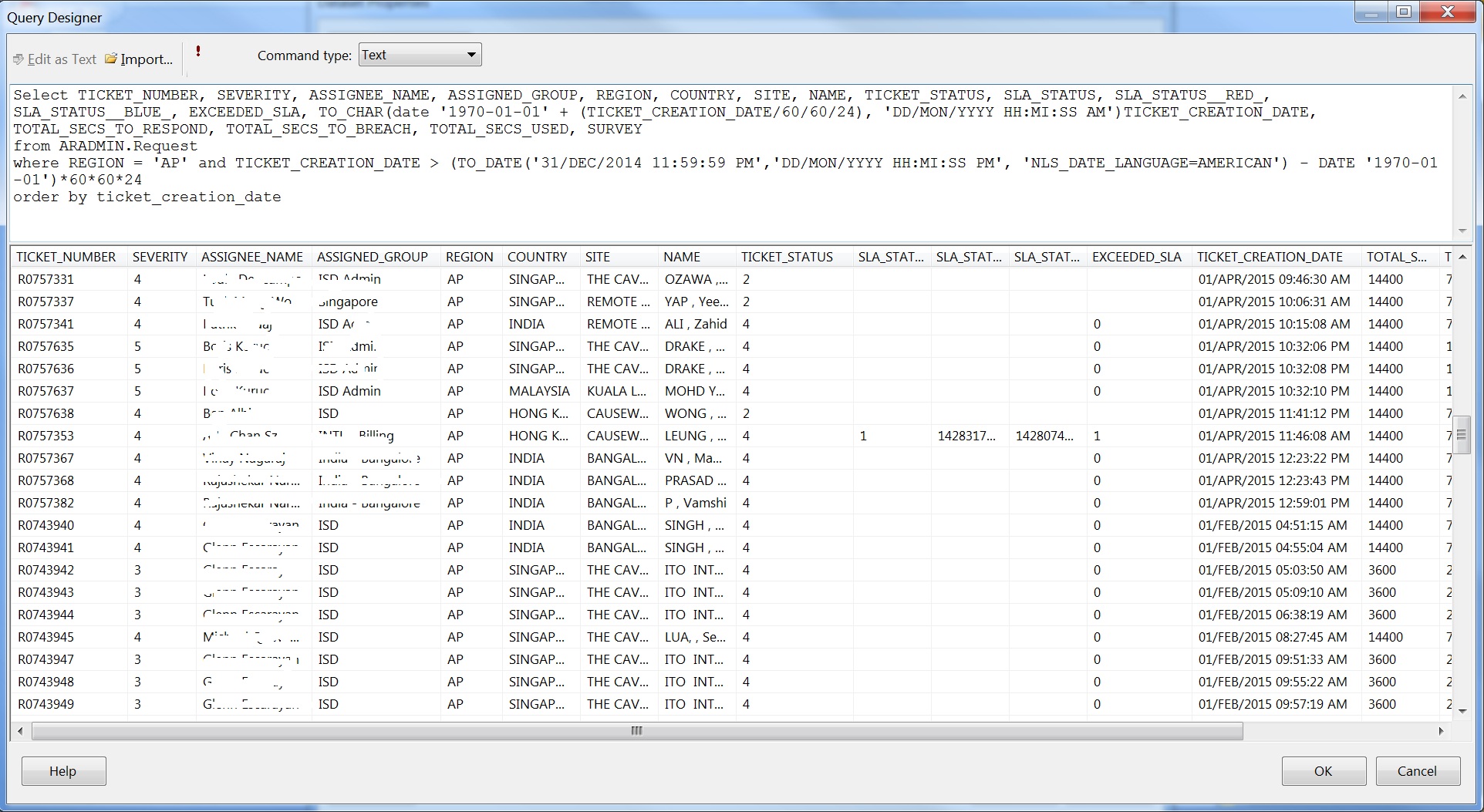
Below screenshot shows the query designer output..
If you have a better way of creating the report appreciate it very much if you could guide/help me...Thank you very much.