Bug Summary
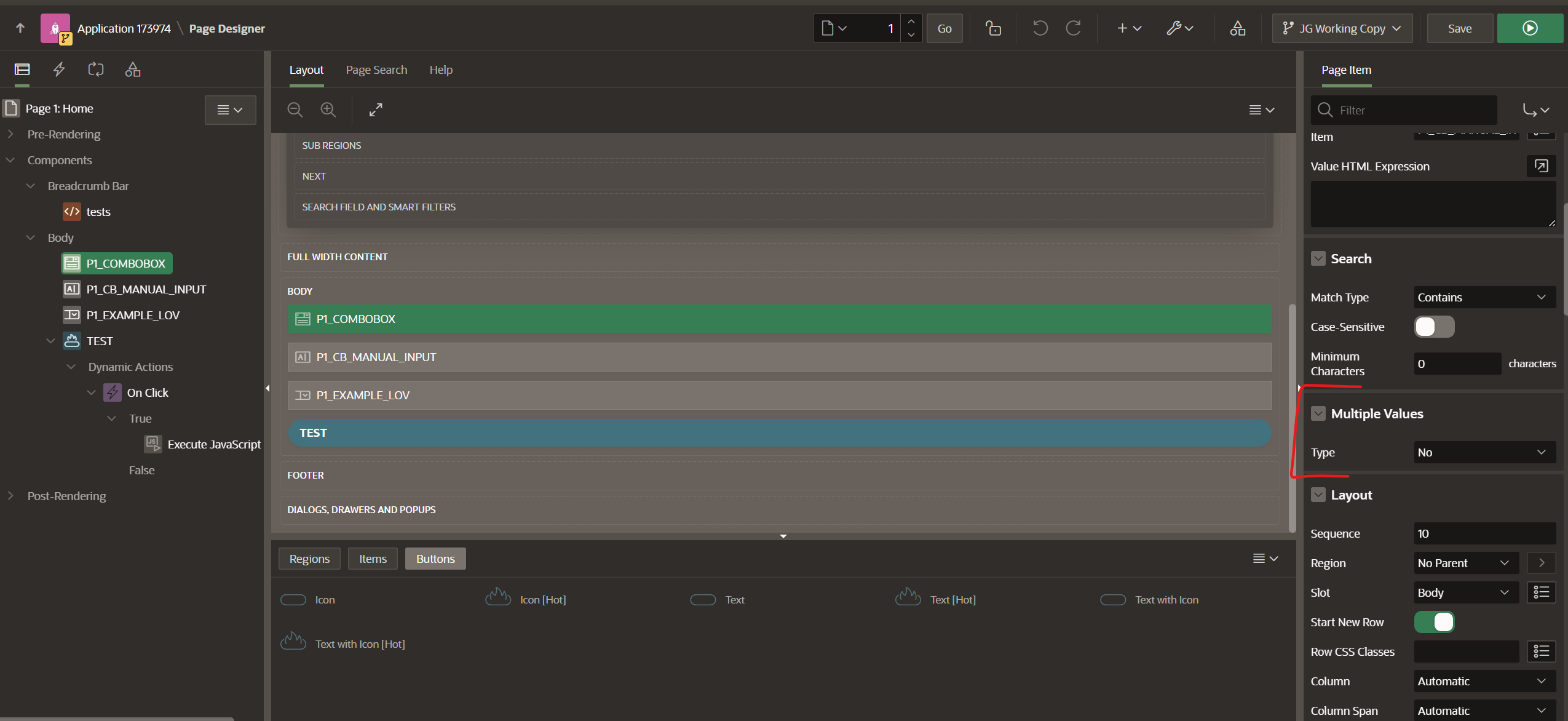
The Combo box page item doesn't return the Return Value from the List of Values, and instead puts the Display Value into the Manual Entries Item. This occurs when the Multiple Values attribute is set to No.
We only noticed this issue 2 days ago, weeks after the features using the combo box were implemented, and since the app showed that items with the correct name were chosen, we assumed it was working fine. Because of that, we don't know when this issue would have started.
Edit: It was working when we were using Apex version 23.2.0, and we think it stopped working after we updated to using Apex version 24.1.0
We've found this issue to be present within our development environment, as well as an online Apex workspace we created to test this issue after it was discovered. Because of this, we believe the issue to a bug of Apex, rather than an issue local to our development environment.
The screenshots below (from the online workspace we set up) show the setup and the behavior. The page prints the values of the page items when the Test button is clicked, via a dynamic action with the code below:
console.log('Combo Box Value: ' + apex.items.P1_COMBOBOX.getValue())
console.log('Combo Custom Value: ' + apex.items.P1_CB_MANUAL_INPUT.getValue())
console.log('LOV Value: ' + apex.items.P1_EXAMPLE_LOV.getValue())
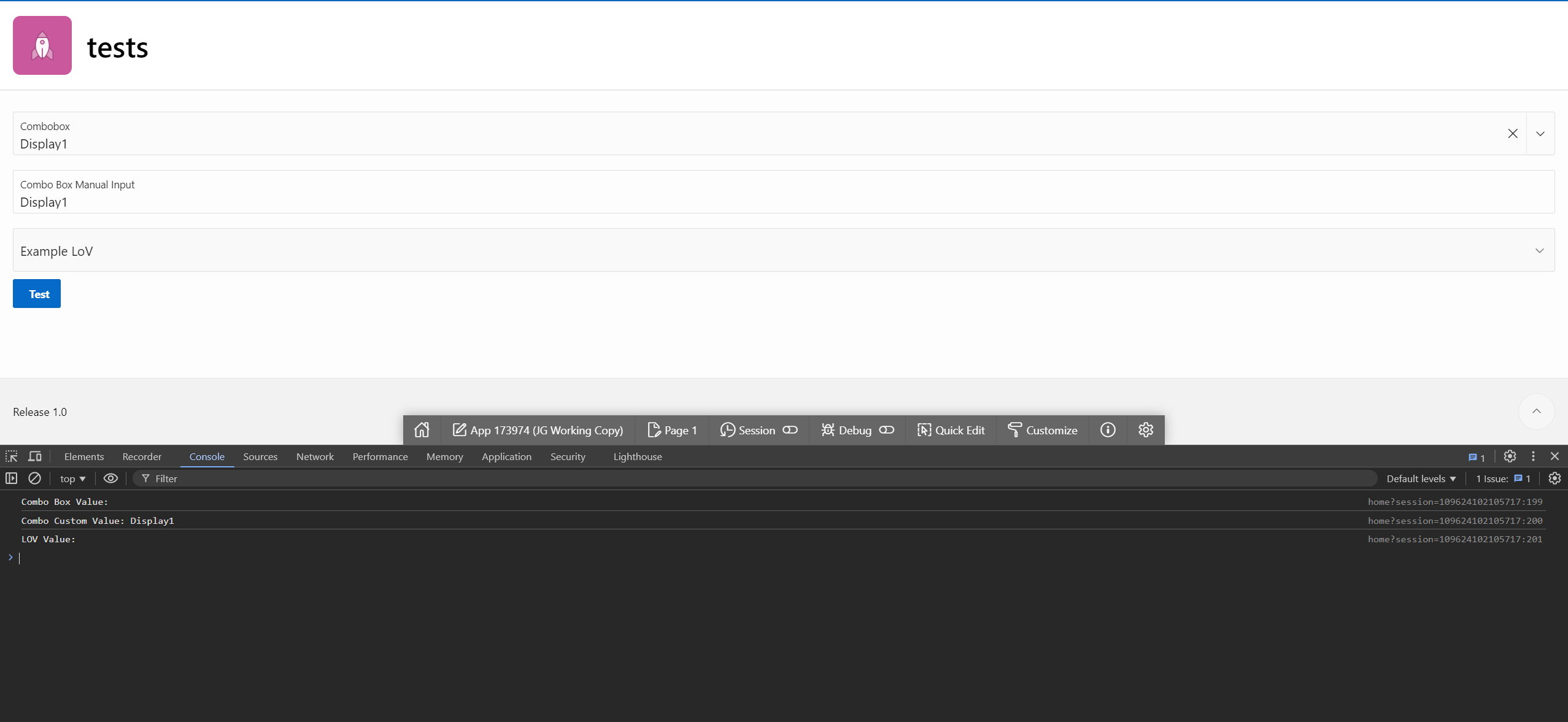
This issue does not occur when the combo box has the Multiple Values attribute set to Delimited List; the correct value is set, and the Manual Entries Item is unchanged. It does still allow Manual Input entries as well.


Severity
This is important to our team since we'd like to store the ids of the options chosen for analytics purposes for users (so that users can notice trends of which options are chosen for their business).
The behavior of the app from a user standpoint isn't directly impacted at the moment, but this will impact the analytics feature in the future.
We could use the Multiple Values attribute, but this changes the UI of the page item, and doesn't match our design.
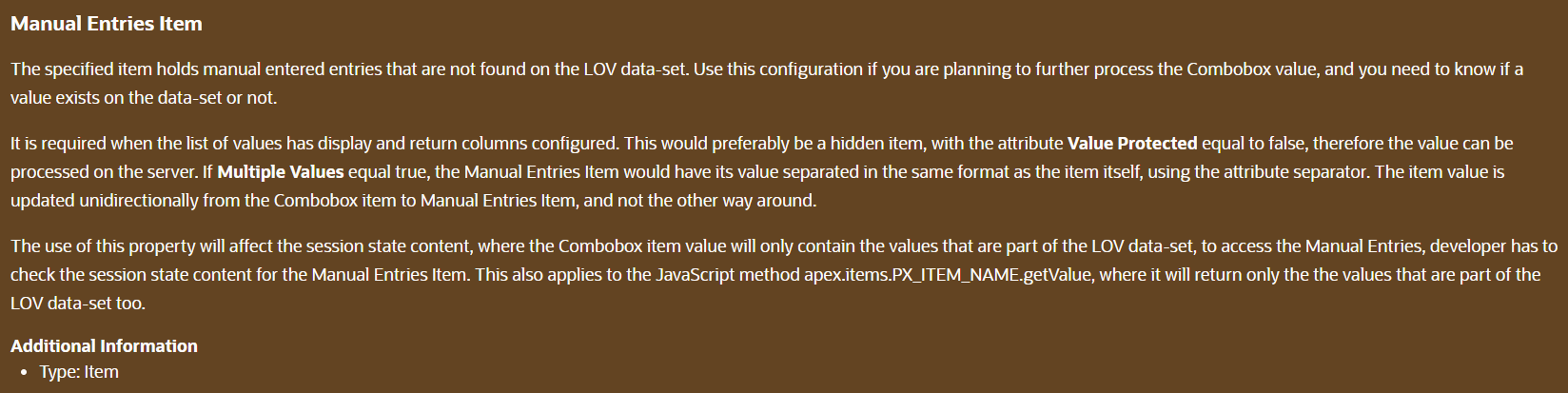
Overall, this is a bug that can be worked around, but where the actual behavior clearly doesn't match the intent of Apex's creators, since this behavior goes against the Help text for the Manual Entries Item.
Preferred Solution
It would be good to see why the Manual Entries Input is being updated when the combo box is set to have a single value.
It would also be good to see why the combo box isn't storing the Return Value of the selected List of Values option.
After that, it would be good to prevent both of those issues.
In short, making the single value combo box act like the multiple value combo box does, with regards to the Manual Entries Input and the value stored in the Combo Box page item.
Please comment on this thread if you know if and when this will be solved, or if there's a solution or step we're missing.
Thanks!