I was using the new Apex 22.2.0 builder to go through some region templates in the shared components area. When you're viewing a region template there is a right/left "scroller" (this is not visible for report templates, I'm checking others) to the left of the template name, where you can scroll between the templates. When I click that I've seen both a update notification (presumably there's a record/template update process attached to the scroller) but is some cases I'm getting the error shown below, where that update process is failing.
 Keep in mind that I'm not actually making any changes to the templates, I'm just scrolling left/right to inspect the details of the templates. But nonetheless clicking the button seems to trigger an update to the meta-data in the database.
Isn't something like this usually accompanied with a "dirty form" check, to see if an update is necessary?
Either way, this seems to be a bug, if not just an annoyance for my particular use case. Anyone on the Apex team want to comment? Or verify if this is happening for others besides me?
Upon further investigation it appears that most types of templates display the right/left scroll buttons, with the exception of reports, for some mysterious reason. When the scroll buttons are present, and clicked, they all appear to be doing an update but some template types display the error above (inline with the page content) while others (i.e. label templates) redirect to an error page, as shown below.
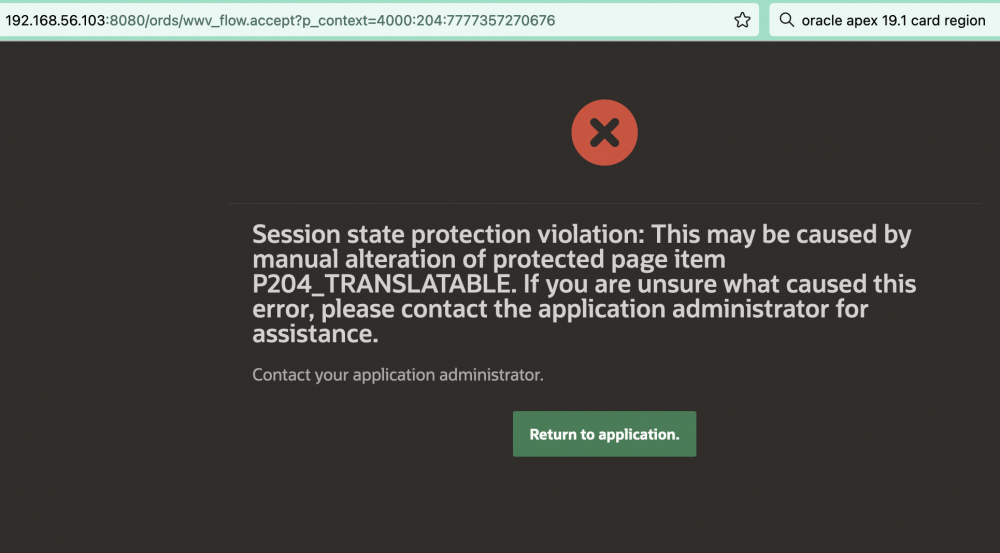
Apparently the 2 different ways of displaying the error can be chalked up to inconsistencies between developers on the Apex team. These 2 error display options are the same ones available to us mortal Apex developers via the page error settings on most form pages.