I'm trying to figure out the logical steps to applying Naming Standards to columns in my tables. I say this because sometimes it does; but most times it doesn't. I noticed this strange behavior last night while trying to apply my personal naming standards but, for the life of me, couldn't figure out the logical steps to do so.
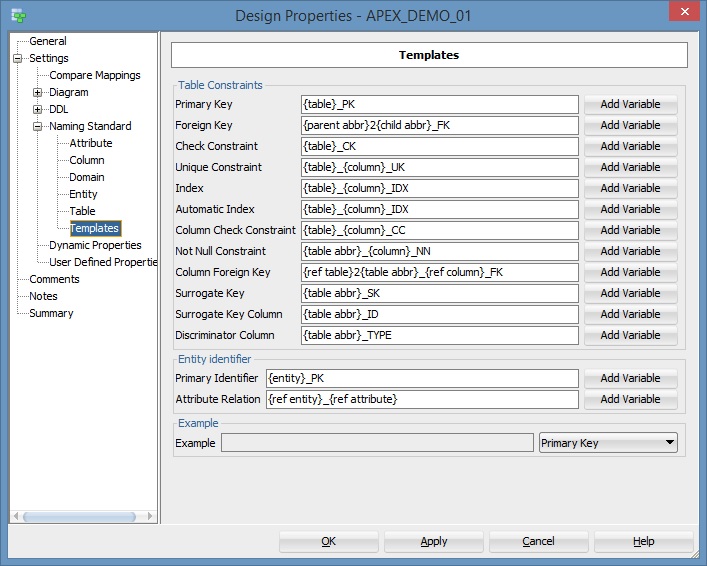
I have my own Naming Standards template as noted here which are the ones I want to apply:
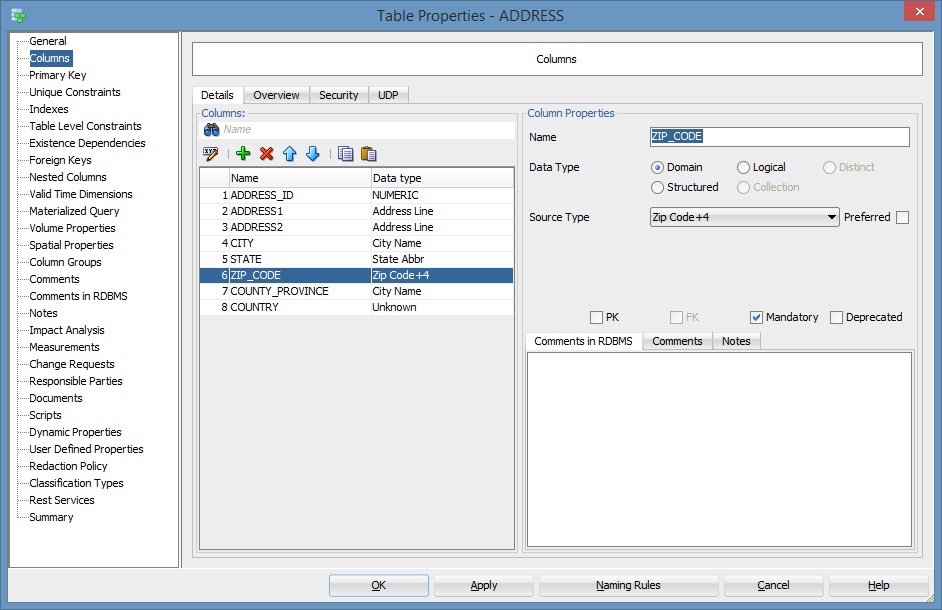
Now, for example, I create a new table called ADDRESS with the customary columns and data types. For the Primary Key I have ADDRESS_ID and, for the sake of this exercise, I have set CITY, STATE and ZIP_CODE to "Mandatory" (or NOT NULL).
When you drill down (or double-click) on ADDRESS_ID or ZIP_CODE to view the properties for these columns, you'll note that "Constraint Name", "Not Null Constraint Name" are all empty - as they should.
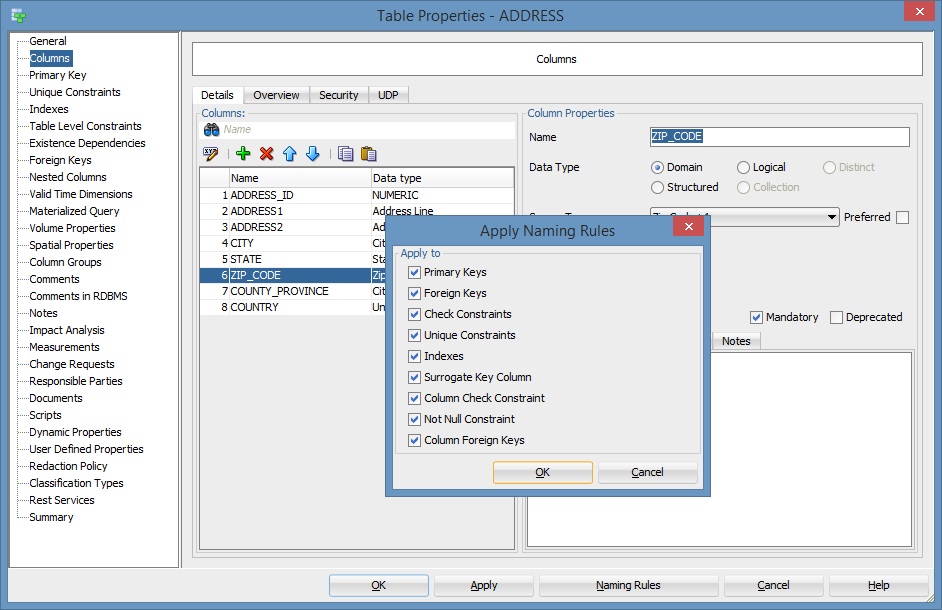
When I return to the Table Properties dialog and click on Naming Rules, another dialog pops up allowing me to select which specific naming rule I'd like to apply. I keep them all selected an click OK. However, when I now drill down to either ADDRESS_ID, CITY, STATE or ZIP CODE, there are no constraint names applied based on my template - at least not immediately (for some reason).
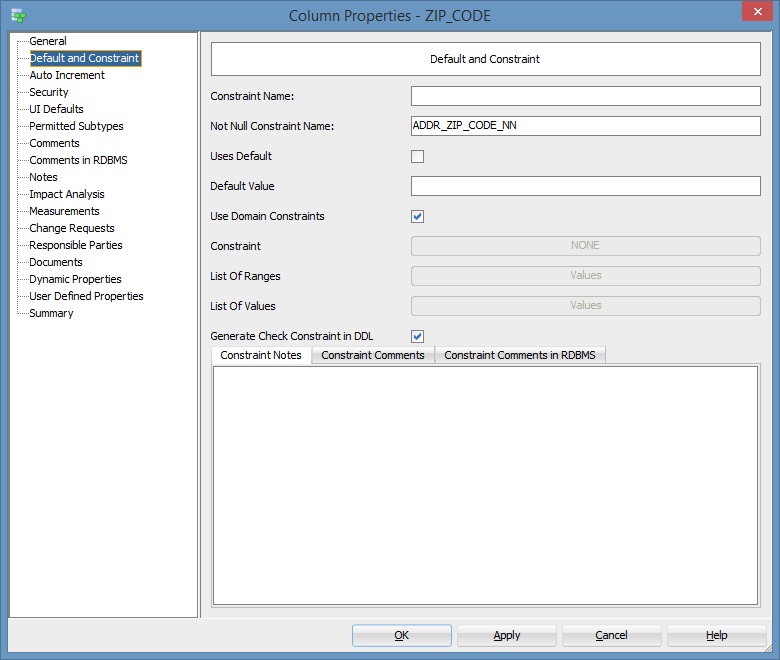
As a workaround for me, if I highlighted, say, ZIP_CODE, clicked Naming Rules then OK, then clicked Apply and double-clicked again on ZIP_CODE, the Constraint Name would eventually show up. However, it's never consistent.
The ZIP_CODE Column with the proper Not Null Constraint Name finally appeared.
One should also not that the PK Naming Standard is never applied at all.
Why does this not work - is this a bug?
What am I doing wrong?
Is there some other way to do this?