Hi,
I am getting below message when I try to access apex ords
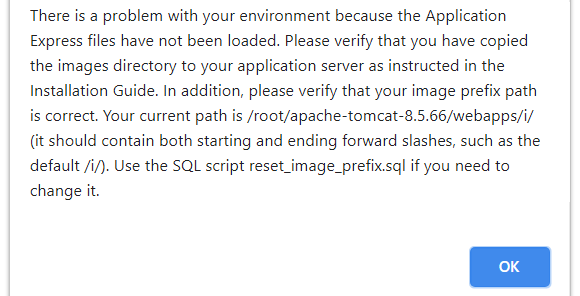
There is a problem with your environment because the Application Express files have not been loaded. Please verify that you have copied the images directory to your application server as instructed in the Installation Guide. In addition, please verify that your image prefix path is correct. Your current path is /i/ (it should contain both starting and ending forward slashes, such as the default /i/). Use the SQL script reset_image_prefix.sql if you need to change it.
I tried this after above issue -
I have copied all files/folders under apex images
/u01/app/oracle/apex/images
to folder
/root/apache-tomcat-8.5.66/webapps/i
after that -
SQL> @reset_image_prefix.sql
Enter the Application Express image prefix [/i/] /root/apache-tomcat-8.5.66/webapps/i/
...Changing Application Express image prefix
NEW_IMAGE_PREFIX
-------------------------------------
/root/apache-tomcat-8.5.66/webapps/i/
PL/SQL procedure successfully completed.
PL/SQL procedure successfully completed.
Session altered.
...Recreate APEX global
PL/SQL procedure successfully completed.
...Purge all cached region and page entries
PL/SQL procedure successfully completed.
...Recompiling the Application Express schemas
PL/SQL procedure successfully completed.
Image Prefix update complete
Disconnected from Oracle Database 11g Express Edition Release 11.2.0.2.0 - 64bit Production
[root@bluedot utilities]#
Even after that, I am getting same issue when I restart ords
java -jar ords.war
 s2-screen.txt (4.7 KB)
I am using - apex_5.1.4 apache-tomcat-8.5.65 ords-19.4.6.142.1859
Same configuration is working good in other machine.
Please clarify. Thanks.