Hello Experts,
New to APEX. Using Application Express 5.1.2.00.09.
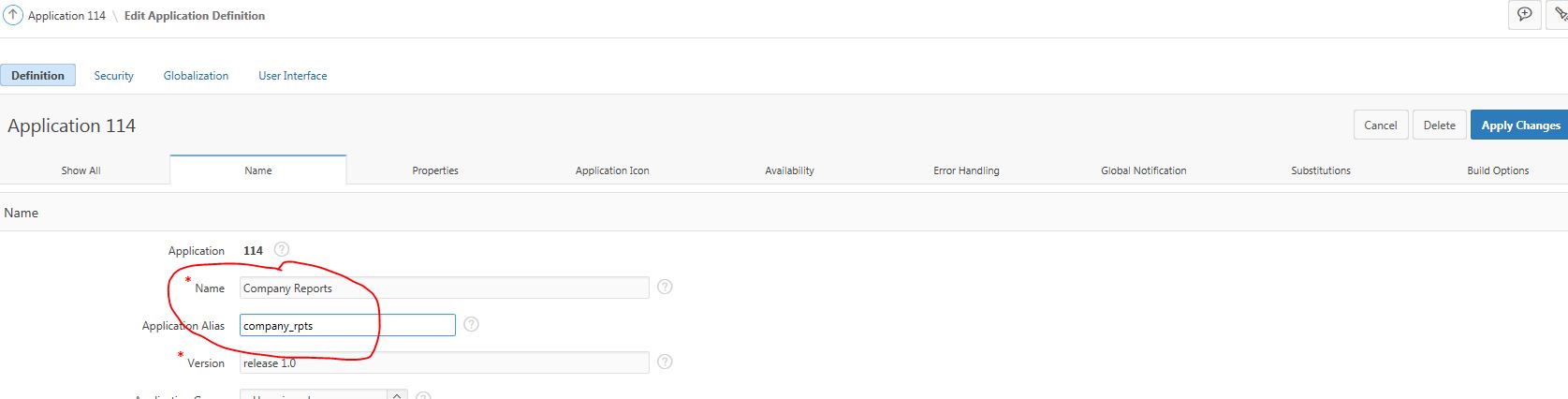
I have created 10 application. Using the "Edit Application Properties" I am entering the name of the application and its Alias. Lets say the application name is "Company Reports" as shown in the image below.
I don't have a home page. I have pages in each application which are accessed by their respective URLs with parameters. The authentication is removed.
So now the question? No matter which application page is opened with its respective URL, its Application name doesn't show, rather show the name of my first application. In the example below it should show "Company Reports" rather is shows "Facility Reports". No matter which application page I open the title in the Blue menu bar is the same.

The next question is the apex_public_user that is on the right hand top corner. Since there is not authentication I would like to remove it. But couldn't have a place to remove it. A javascript developer suggested to add the following scrip to execute on page load. But I was hoping for a APEX solution to both the problems.
(function removeHeaderLogosAndFooter(){
$(".userBlock").hide();

$("#uFooter").hide();
})();
Thank you
Aj