on a client VM there is Win 10 Pro, 21cXE, Apex 23.1 , they have Import one of their previous running App to 23.1 from 20.2, they want the Menu Bar should be white background and black foreground, i check they are using a theme Default-blue which appears in Shared Components → User Interface Attributes → Attributes → Theme Style = Default-blue.
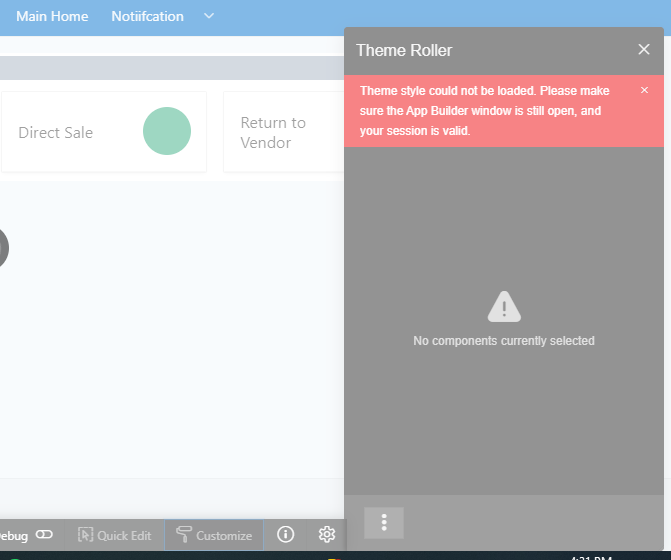
i tried to use Theme Roller to change the appearance but it is not loading, i cleared browser cache and login again in developer mode and run app, access Theme Roller to run but it is showing as per below screenshot, i changed theme style to Vita in user interface attributes but still same error, it is not accessible i have to close the page manually. please help how it can work.
regards