Hi All:
I am using APEX 19.2.
I am having a form to main Production/Part Number information. Here are form detail:
One Page item called "Item Number" (P3_INVENTORY_ITEM_ID) whose type is Popup LOV + using "Additional Outputs" attribute to map one more column from LOV to an existing page item called "Item TYPE" (P3_ITEM_TYPE).
Basically, after user select a product for "Item Number", the form will also display "Item Type" information.
1. P3_INVENTORY_ITEM_ID setting:
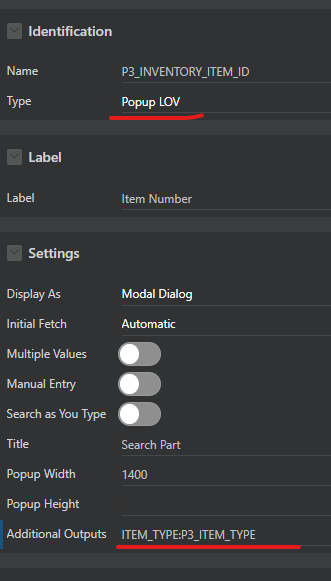
Please notice I am using "Additional Outputs" property to map value for P3_ITEM_TYPE from LOV selection.
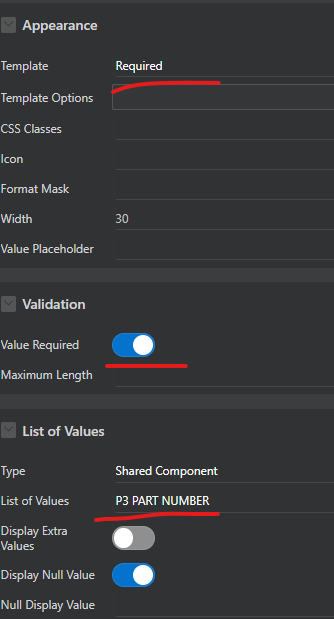
2. Setting for P3_ITEM_TYPE


3. In addition, I am having a after-header process called "Derive value for read-only items" to use apex_util._set_session_state() for P3_ITEM_TYPE.

<code>
DECLARE
l\_crs\_detail\_rec apps.ke\_crs\_detail\_v%rowtype := null;
BEGIN
  select \* into l\_crs\_detail\_rec from apps.ke\_crs\_detail\_v where unique\_id = :P3\_UNIQUE\_ID;

-- set session state for readonly page items

apex\_util.set\_session\_state(p\_name => 'P3\_ITEM\_TYPE',             p\_value => l\_crs\_detail\_rec.item\_type);
END;
</code>
Now, let me demo the issue:
First, when I create data, after I select value from Popup LOV for "Item Number", APEX show value both "Item Number" and "User Item Type" page items. This is correct.

However, after I save my record and try to edit the record again, the form still show value for "Item Number"; however, the value for "User Item Type" is blank

if I inspect "User Item Type", I see below

<code>
<div class="t-Form-itemWrapper"><input type="text" id="P3_ITEM_TYPE" name="P3_ITEM_TYPE" class="text_field apex-item-text" readonly="" value="Purchased Item" size="30" maxlength=""></div>
</code>
As you can see the value "Purchased Item" is in input tag.
Also, if I run below jQuery, the value is blank.
<code>
$('#P3_ITEM_TYPE').val()
</code>

Given jQuery return null value, this makes me think below happened (my wide guess):
- some APEX's javascript associated with Popup LOV is triggered to clear to data for page item who is specified in "Additional Outputs" property for Popup LOV item.
in my case, APEX's javascript has cleared the data for P3_ITEM_TYPE given it has been specified in the "Additional Outputs" property for P3_INVENTORY_ITEM_ID which is a Popup LOV.
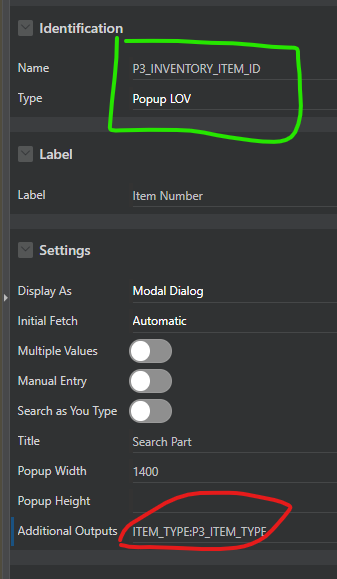
whether my wild guess is correct or not doesn't matter. Here is my final question: In case I described above, when I try to edit an existing record, how to show value for P3_ITEM_TYPE?
I have struggled this issue for couple of days and had tried many options and just can't figure it out and I have searched APEX forum and can't find a good match.
Thank you!
Kevin