Hi there,
I'm trying to customize an Oracle application within JDeveloper.
I've JDK 1.7 installed and configured as the default as well as the project JAVA SE target.
I'm using JDeveloper 11.1.1.7.0 as with the latest JDeveloper version the screen of the software wouldn't even load so I went to the advised JDeveloper version to use to customize the software.
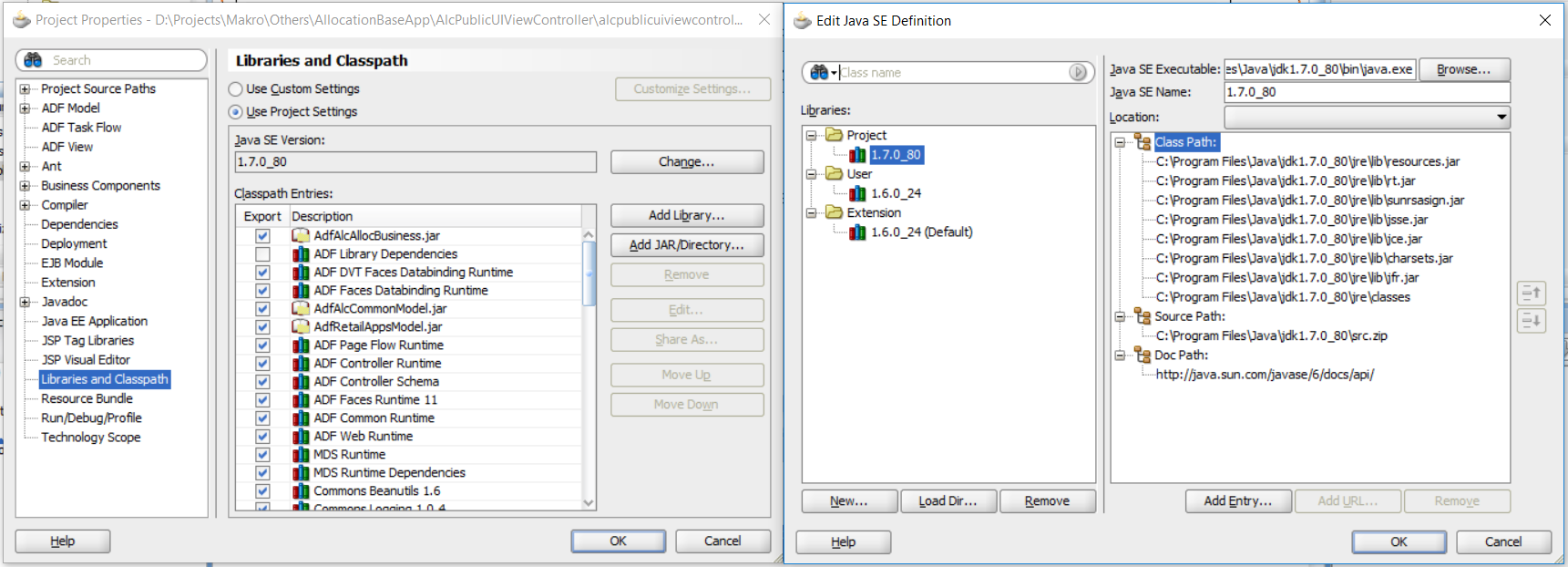
Each time I try to open a .jsff or a .jspx page the following error appears and does not let me see the screen components as they should:
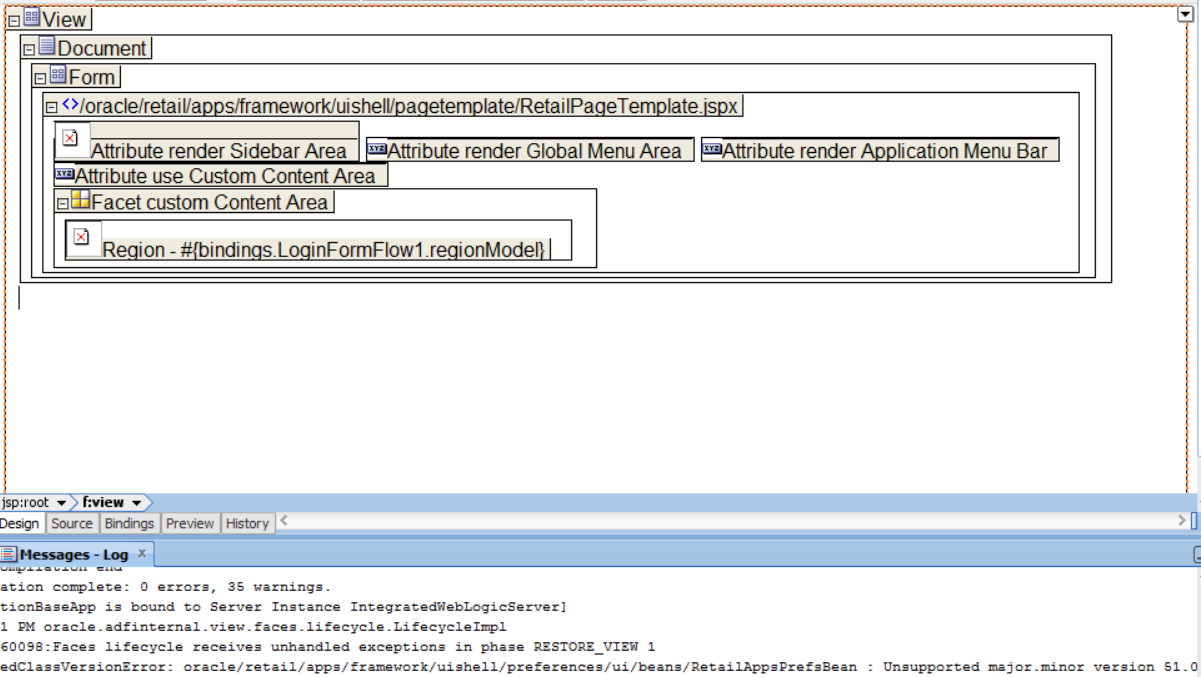
WARNING: ADF_FACES-60098:Faces lifecycle receives unhandled exceptions in phase RESTORE_VIEW 1
java.lang.UnsupportedClassVersionError: oracle/retail/apps/framework/uishell/preferences/ui/beans/RetailAppsPrefsBean : Unsupported major.minor version 51.0
Showing the screen like this:
I have looked for related topics but most of them are related to WebLogic Deploys and not to the IDE GUI itself and it's contents.
For what I've searched and found I've also changed:
jdev.boot line ide.java.maxversion=1.8 to ide.java.maxversion=1.7
jdev.conf line SetJavaHome C:\Oracle\Middleware\jdk160_24 to SetJavaHome C:\Program Files\Java\jdk1.7.0_80
The error then appears slight different:

Does anyone has a suggestion or can help anyhow?
Thank you.