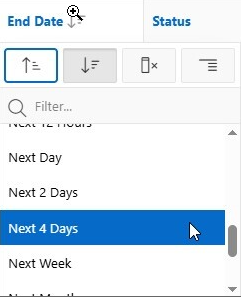
This post is on request of @jayson-hanes-apex-pm-oracle to archive a Slack thread discussing next question from @ej-egyed1 :
EJ Egyed Friday at 5:58 PM
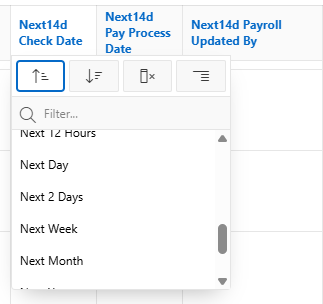
Happy New Year! I've got a (hopefully) easy question. When clicking on the column header for a DATE column in a IG or IR, you get a predefined list of options to assist with filtering. How would I go about adding an option to this list? If I wanted to add something like "Next 4 Days"?
12 replies
Jayson Hanes - Oracle APEX PM Saturday at 7:16 PM
Not supported out of the box. Manual JS and trickery
maxime_tremblay Yesterday at 12:49 AM
would be nice though to be able to configure that 
you should create an idea for it over at https://apex.oracle.com/ideas
Jayson Hanes - Oracle APEX PM Yesterday at 12:49 AM
I haven't had a chance to look it up but I'm fairly sure there is one already
Karel Ekema Today at 10:59 AM
and this is the JS trickery for IG as to have 'Next 4 Days' added:
$(function() {
   apex.gPageContext$.on("apexreadyend", function(jQueryEvent) {
       $('.a-IG').on('gridactivatecolumnheader', function(event, data) {
           if (data?.column?.dataType == 'DATE') {
               let igStaticId = $(event.target).closest('.a-IG').interactiveGrid('option').config.regionStaticId;
               $(document).off('ajaxComplete.loadOptions').on("ajaxComplete.loadOptions", function(jQueryEvent, data, settings) {
                   let filterOptions$ = $('#' + igStaticId + '_ig_column_header_menu_rows .a-IRR-sortWidget-row');
                   let n2d$ = filterOptions$.filter('[data-return-value="NEXT~2~D"]');
                   $('<a>', {href: '#', class: 'a-IRR-sortWidget-row', 'data-return-value': 'NEXT~4~D', text: 'Next 4 Days'}).insertAfter(n2d$);
                   $(document).off('ajaxComplete.loadOptions');
               });
           }
       });
   });
});
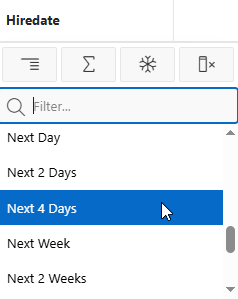
Another approach is to compose the full/additional list like this: (edited)
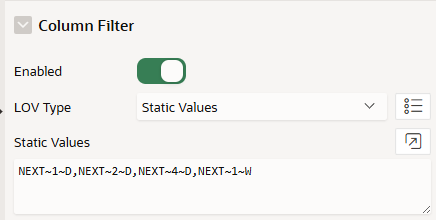
and generate the descriptions:
filterOptions$.each(function () {
   let returnValue = $(this).data('return-value');
   let [direction, amount, unit] = returnValue.split('~');
   direction = direction.charAt(0) + direction.slice(1).toLowerCase();
   let units = { D: 'Days', W: 'Weeks', M: 'Months', Y: 'Years' };
   $(this).text(direction + ` ${amount} ${units[unit]}`);
});
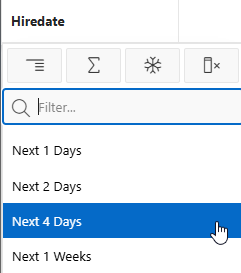
so your code becomes generic and the options declarative
EJ Egyed Today at 1:08 PM
Awesome! Thank you all for your solutions!
EJ Egyed Today at 1:41 PM
@Karel Ekema The solutions do seem to work for Interactive Grids, thank you! Do you know of a solution that would work for Interactive Reports?
Karel Ekema 17 minutes ago
For IR:
$(document).on("ajaxComplete", function(jQueryEvent, data, settings) {
   if ((data.status == 200) && (settings.data.includes('p_widget_action=SORT_WIDGET')) && (data.responseText.includes('"coltype":"DATE"')))
   {
       let filterOptions$ = $('.a-IRR-sortWidget-rows .a-IRR-sortWidget-row');
       let n2d$ = filterOptions$.filter('[data-return-value="dt_in_next_2_days"]');
       $('<a>', {href: '#', class: 'a-IRR-sortWidget-row', 'data-return-value': 'dt_in_next_4_days', text: 'Next 4 Days'}).insertAfter(n2d$);
   }
});