Hi,
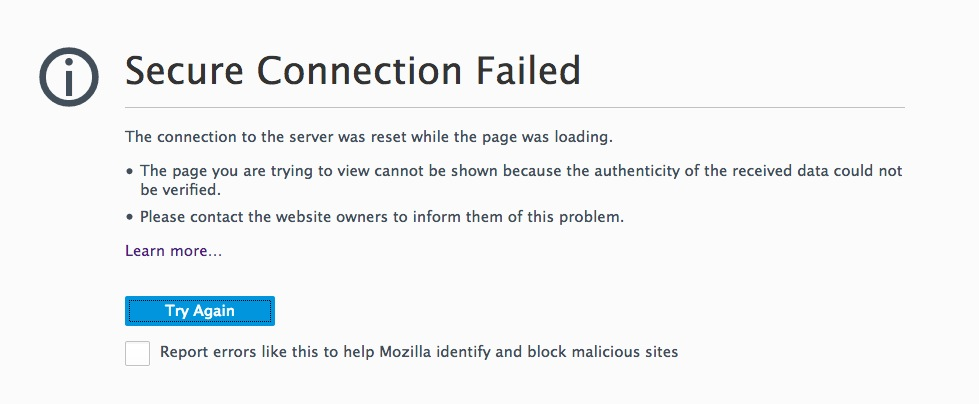
I created a database with DBCA and it showed access to EM Express at https:/localhost:5500/em. However, accessing the URL results in "Secure connection failed". Whether I access the URL from the server console using localhost or my desktop computer using the IP of the guest OS (10.0.70.70) makes no difference.
It's a clean minimal installation of Oracle Linux 7.6 under VirtualBox running Oracle GI and DB (18.3). The virtual network adapter is bridged. The host system is OSX Mavericks on the same network.
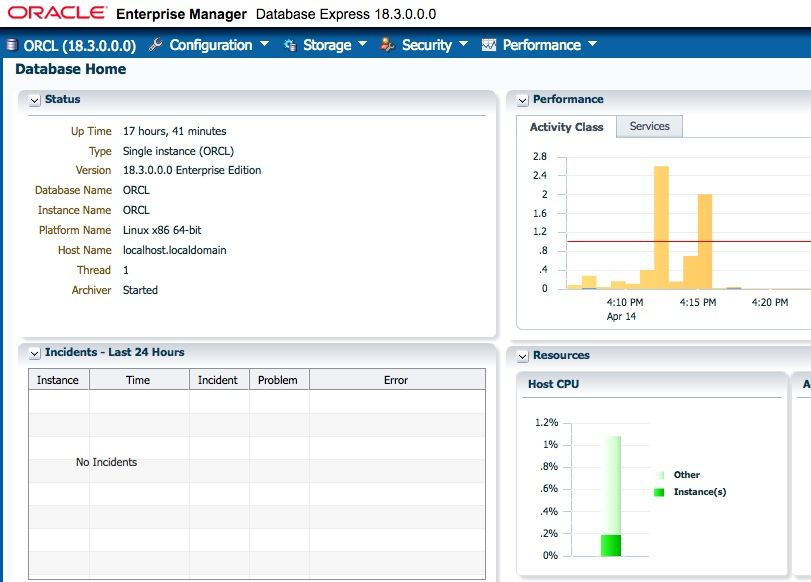
Interestingly, when I configure EM Express via HTTP, it works fine:
SQL> exec DBMS_XDB_CONFIG.SETHTTPPORT(8080);
PL/SQL procedure successfully completed.
Could it be the browser version? I tried Safari 9.1.3 and Firefox ESR 52.9. When I connect to chrome://pippki/content/exceptionDialog.xul and enter the URL to enter a security exception there is no response.
There is no Firewall running on the host or guest OS. I can use SQLDeveloper from my desktop and access the database just fine. There's nothing that should block port 5500.
[root@localhost bin]# systemctl status firewalld
● firewalld.service
Loaded: masked (/dev/null; bad)
Active: inactive (dead) since Sat 2019-04-13 07:28:14 CEST; 1 day 10h ago
Main PID: 9479 (code=exited, status=0/SUCCESS)
I created another port to see what happens:
SQL> exec DBMS_XDB_CONFIG.SETHTTPSPORT(8100);
PL/SQL procedure successfully completed.
Same result. Accessing the port via telnet shows the following:
Saturn:tmp bb$ telnet 10.0.70.70 8100
Trying 10.0.70.70...
Connected to 10.0.70.70.
Escape character is '^]'.
Connection closed by foreign host.
Below are some further diagnostics:
SQL> EXEC DBMS_XDB.SETLISTENERLOCALACCESS(FALSE);
PL/SQL procedure successfully completed.
SQL> select dbms_xdb_config.gethttpsport() from dual;
DBMS_XDB_CONFIG.GETHTTPSPORT()
5500
[root@localhost bin]# lsof -i TCP:5500
COMMAND PID USER FD TYPE DEVICE SIZE/OFF NODE NAME
tnslsnr 22967 grid 17u IPv6 1574120 0t0 TCP *:fcp-addr-srvr1 (LISTEN)
[root@localhost bin]# lsof -i TCP:8080
COMMAND PID USER FD TYPE DEVICE SIZE/OFF NODE NAME
tnslsnr 22967 grid 18u IPv6 2500238 0t0 TCP *:webcache (LISTEN)
[root@localhost bin]# grep 5500 /etc/services
fcp-addr-srvr1 5500/tcp # fcp-addr-srvr1
fcp-addr-srvr1 5500/udp # fcp-addr-srvr1
[root@localhost bin]# grep 8080 /etc/services
webcache 8080/tcp http-alt # WWW caching service
webcache 8080/udp http-alt # WWW caching service
[root@localhost bin]# lsof -i TCP:8100
COMMAND PID USER FD TYPE DEVICE SIZE/OFF NODE NAME
tnslsnr 22967 grid 17u IPv6 2507396 0t0 TCP *:xprint-server (LISTEN)
[oracle@localhost ~]$ lsnrctl status
LSNRCTL for Linux: Version 18.0.0.0.0 - Production on 14-APR-2019 17:01:24
Copyright (c) 1991, 2018, Oracle. All rights reserved.
Connecting to (ADDRESS=(PROTOCOL=tcp)(HOST=)(PORT=1521))
STATUS of the LISTENER
------------------------
Alias LISTENER
Version TNSLSNR for Linux: Version 18.0.0.0.0 - Production
Start Date 13-APR-2019 03:50:58
Uptime 1 days 13 hr. 10 min. 26 sec
Trace Level off
Security ON: Local OS Authentication
SNMP OFF
Listener Parameter File /u01/app/18.3.0/grid/network/admin/listener.ora
Listener Log File /u01/app/grid/diag/tnslsnr/localhost/listener/alert/log.xml
Listening Endpoints Summary...
(DESCRIPTION=(ADDRESS=(PROTOCOL=tcp)(HOST=localhost)(PORT=1521)))
(DESCRIPTION=(ADDRESS=(PROTOCOL=ipc)(KEY=EXTPROC1521)))
(DESCRIPTION=(ADDRESS=(PROTOCOL=tcps)(HOST=localhost)(PORT=5500))(Security=(my_wallet_directory=/u01/app/oracle/admin/orcl/xdb_wallet))(Presentation=HTTP)(Session=RAW))
Services Summary...
Service "+ASM" has 1 instance(s).
Instance "+ASM", status READY, has 1 handler(s) for this service...
Service "+ASM_DATA" has 1 instance(s).
Instance "+ASM", status READY, has 1 handler(s) for this service...
Service "+ASM_FRA" has 1 instance(s).
Instance "+ASM", status READY, has 1 handler(s) for this service...
Service "ORCLXDB.localdomain" has 1 instance(s).
Instance "ORCL", status READY, has 1 handler(s) for this service...
Service "orcl.localdomain" has 1 instance(s).
Instance "ORCL", status READY, has 1 handler(s) for this service...
The command completed successfully
Again EM via HTTP works.
[oracle@localhost ~]$ lsnrctl status
LSNRCTL for Linux: Version 18.0.0.0.0 - Production on 14-APR-2019 18:22:25
Copyright (c) 1991, 2018, Oracle. All rights reserved.
Connecting to (ADDRESS=(PROTOCOL=tcp)(HOST=)(PORT=1521))
STATUS of the LISTENER
------------------------
Alias LISTENER
Version TNSLSNR for Linux: Version 18.0.0.0.0 - Production
Start Date 13-APR-2019 03:50:58
Uptime 1 days 14 hr. 31 min. 27 sec
Trace Level off
Security ON: Local OS Authentication
SNMP OFF
Listener Parameter File /u01/app/18.3.0/grid/network/admin/listener.ora
Listener Log File /u01/app/grid/diag/tnslsnr/localhost/listener/alert/log.xml
Listening Endpoints Summary...
(DESCRIPTION=(ADDRESS=(PROTOCOL=tcp)(HOST=localhost)(PORT=1521)))
(DESCRIPTION=(ADDRESS=(PROTOCOL=ipc)(KEY=EXTPROC1521)))
(DESCRIPTION=(ADDRESS=(PROTOCOL=tcp)(HOST=localhost)(PORT=8080))(Presentation=HTTP)(Session=RAW))
(DESCRIPTION=(ADDRESS=(PROTOCOL=tcps)(HOST=localhost)(PORT=8100))(Security=(my_wallet_directory=/u01/app/oracle/admin/orcl/xdb_wallet))(Presentation=HTTP)(Session=RAW))
Services Summary...
Service "+ASM" has 1 instance(s).
Instance "+ASM", status READY, has 1 handler(s) for this service...
Service "+ASM_DATA" has 1 instance(s).
Instance "+ASM", status READY, has 1 handler(s) for this service...
Service "+ASM_FRA" has 1 instance(s).
Instance "+ASM", status READY, has 1 handler(s) for this service...
Service "ORCLXDB.localdomain" has 1 instance(s).
Instance "ORCL", status READY, has 1 handler(s) for this service...
Service "orcl.localdomain" has 1 instance(s).
Instance "ORCL", status READY, has 1 handler(s) for this service...
The command completed successfully
Anything else I could try?