Hi
We are on APEX 18.1 and have noticed problem in the new Gantt charts when using TIMESTAMP WITH LOCAL TIME ZONE columns.
When displaying data from the timestamp columns, the display of time is incorrect (in the tooltip and for positioning the bars).
You can see the issue here:
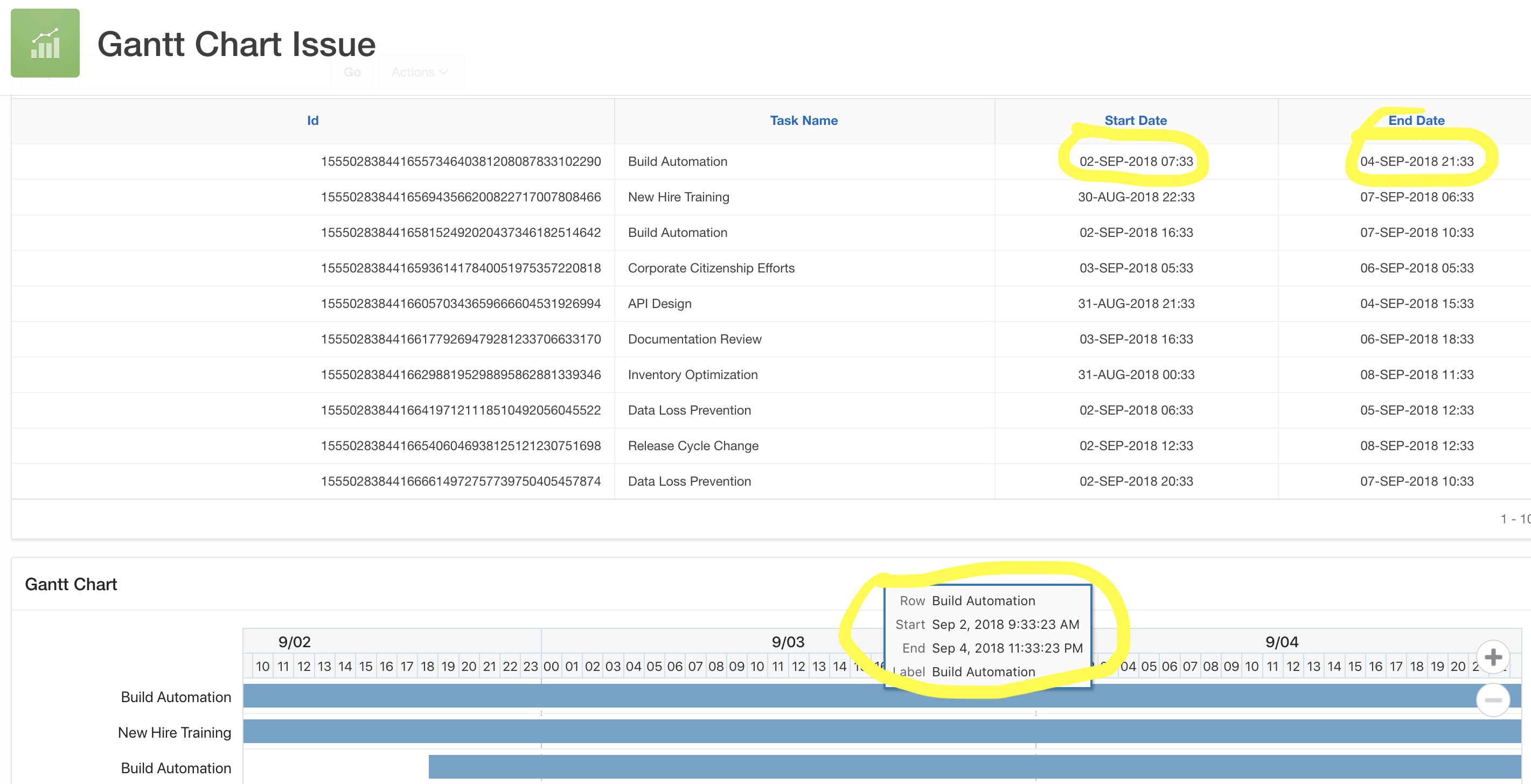
The interactive report and the Gantt chart are based on the same table (TASKS) and the start/end dates are TIMESTAMP WITH LOCAL TIME ZONE. Notice that the time part is off by 2h.
If you want to look closer at the issue, be welcome to log into my workspace at apex.oracle.com:
Workspace: MBNDATA
Login: demo/demo
Application: 31613 - Gantt Chart Issue
This is a showstopper for us, so will appreciate a (fast) workaround or fix.
Thanks
Martin